
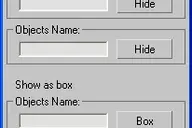
 Facial Controls v1.0.ms - Maxscript that creates simple controls for driving a facial rig be it basic or complex.
Facial Controls
Downloads
Version 1.0Listed version
Listing updated
Visit author’s download pagewww.martinskinner.co.uk
- 3ds Max compatibility
- Unknown
Community compatibilityNo compatibility reports yet
No reports yet for the available releases.
Community reviewsNo reviews yet.
Listing details
- Version
- 1.0
- Original version requirement
- Version 8 or higher
- Author’s update date
- Legacy votes
- 13
- Listing created
- Homepage
- http://www.martinskinner.co.uk
How compatibility works
Compatibility comes from the author’s supported range or requirements in the original listing. A tested version records what the author tried.
“2020 unconfirmed” in the catalog means support for 3ds Max 2020 is still unknown.
Community reports record successful tests on specific releases.
Posted by
martinskinner
Description
Setup & notes
Installation
----------
Each Maxscript comes zipped, along with
a manual .txt file, and any .jpgs required.
To install the script;-
1) Download the file (follow link).
2) Unzip the file and copy the content to
your Scripts folder for 3dsMax (version 8
or higher).
That's it, you're good to go!
Comments (2)
Comment policy
If you are interested in a rig that actually uses and hooks up the Osipa UI, see my 'facial animation rig' script I posted last month.
Cool. - Yep, all this one does is create the Osipa 'Stoping Staring' type User Interface for controlling your face, at any size you require. It DOES NOT create the rig for you.
As floatingworld kindley points out - see his 'facial animation rig' posted last month - for something a bit more advanced.
But more to the point - read 'Stop Staring' by Jason Osipa.
It's a fantastic book. Anyone who wants to do facial character animation should have it!