
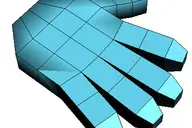
Initially, this a only script to assist making tight cloth for character of with editablepoly.
But perhaps this can assist to make the other model. ^^
Handy to create twin faces from selection of polygons to becoming raw model or maybe final model.
FaceGrabO
Downloads
Version 0.1Listed version
Listing updated
- facegrabo.zip296 KB
- 3ds Max compatibility
- See original listing claims
Community compatibilityNo compatibility reports yet
No reports yet for the available releases.
Community reviewsNo reviews yet.
Listing details
- Version
- 0.1
- From original requirements
- 8
- Original version requirement
- max 8
- Author’s update date
- Legacy votes
- 18
- Listing created
How compatibility works
Compatibility comes from the author’s supported range or requirements in the original listing. A tested version records what the author tried.
“2020 unconfirmed” in the catalog means support for 3ds Max 2020 is still unknown.
Community reports record successful tests on specific releases.

Description
Setup & notes
Usage:
- Select some face then pick this script,
first time the face will becoming new object.
- Click around the new objects or viewport.
- Step by step with mouse appliance movement and clicking.
Find guide note under the Mini-Listener.
Some modifiers will be added, this for some distance and thickness.
At the same time, if pressing keyboard :
'SHIFT' changing the values of case becomes vice versa.
'CTRL' as adding mouse movement weight.
'ALT' as losing weight mouse movement.
- while mouse finishing the action, mini rollout editor will be appears,
you can adjust again or skip by closing button.
(Find example of images and the simple demonstration in pack).
By aborting mouse before depletion, result of the script admit of to be used.
Cause have specified like that if requiring some case from stages.
Tips: If the source object have UVW map, my suggest to collapse beforehand, So that the twin faces have same UVW.
Install:
Copy BGtools_FaceGrabO.mcr to your \ui\macroscripts\ directory,
restart Max and you will find it under CustomizeUserinterface, Category 'BG tools'
Comments (6)
Comment policy
mantabs... thx bud, urang vote deh hehehe
Sometimes it really boggles my mind to think how it's possible for someone whose English is so garbled to produce a script that's understandable to the computer. This is by no means an insult, merely an observation. I had no idea what the script does by reading the description above, and I really wonder how the coder can successfully write a functional and comprehensive script and really botch the description of it so badly. Amazing!
your welcome jamoka :)
----------------------------------------------------
just note to everyone :
this script update here FaceGrabO v1.5
thanks great!
---------------------------------
cgattack.com
Hi...
thank you Ivan.
well , this my old scripts ...
maybe someday I will be able to update it
cheers
It's so great. learning