


ScriptSpot home

Expose Table

Downloads

3ds Max compatibility
Unknown
Community compatibilityNo compatibility reports yet

No reports yet for the available releases.

Community reviewsNo reviews yet.

Listing details

Version
0.01a
Legacy votes
1
Listing created
How compatibility works

Compatibility comes from the author’s supported range or requirements in the original listing. A tested version records what the author tried.

“2020 unconfirmed” in the catalog means support for 3ds Max 2020 is still unknown.

Community reports record successful tests on specific releases.

Posted by

Swordslayer

Vojtech Cada

More by this author

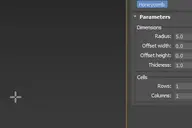
Expose Table is a helper object which can load a CSV file and expose its columns as tracks that you can use copy-paste or use for parameter wiring and anywhere you would use a controller. First row of the CSV file is used for the track names, which means the headers have to be unique, all the other rows have to contain numbers.

 Expose Table 

Setup & notes

Installation: Copy the .ms file to your scripts\startup folder or run as a script if you want to try it out first. The helper primitive will be available under the Standard Helpers in the Create panel, it will be the last item with the caption 'Table'.

Comments (3)
titane357

Hi, thanks for your tool.
Could you share a correct .csv file to use with it ?
( to understand well what your script need )
Many thanks.