
ECollapse
Downloads
Version 1.10Listed version
Listing updated
Visit author’s download pageehabkdesigns.com
- 3ds Max compatibility
- See original listing claims
Community compatibilityNo compatibility reports yet
No reports yet for the available releases.
Community reviewsNo reviews yet.
Listing details
- Version
- 1.10
- From original requirements
- 2016
- Original version requirement
- 2016
- Author’s update date
- Legacy votes
- 2
- Listing created
- Homepage
- https://ehabkdesigns.com/shop/
How compatibility works
Compatibility comes from the author’s supported range or requirements in the original listing. A tested version records what the author tried.
“2020 unconfirmed” in the catalog means support for 3ds Max 2020 is still unknown.
Community reports record successful tests on specific releases.
More by this author
Description
Setup & notes
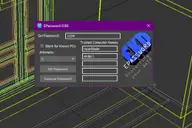
ECollapse is a simple free script that attaches all the selected objects and groups, into one object, centers the pivot in teh X & Y axis and put it into the lowest point on the Z axis, also it maintains the original materials through managing material ids, Brought to you by EKDtools.
 Changelog:
1.10
-Enhanced working with groups.
-Better detection for attachable objects.
-Icon is getting disabled if less than 2 objects are selected.
-Pivots bug has been fixed.
-Collapsed objects transformation is resetting.
-Viewports redrawing after collapsing without the need for a click in viewport like last version.
Comments (0)
Comment policy