

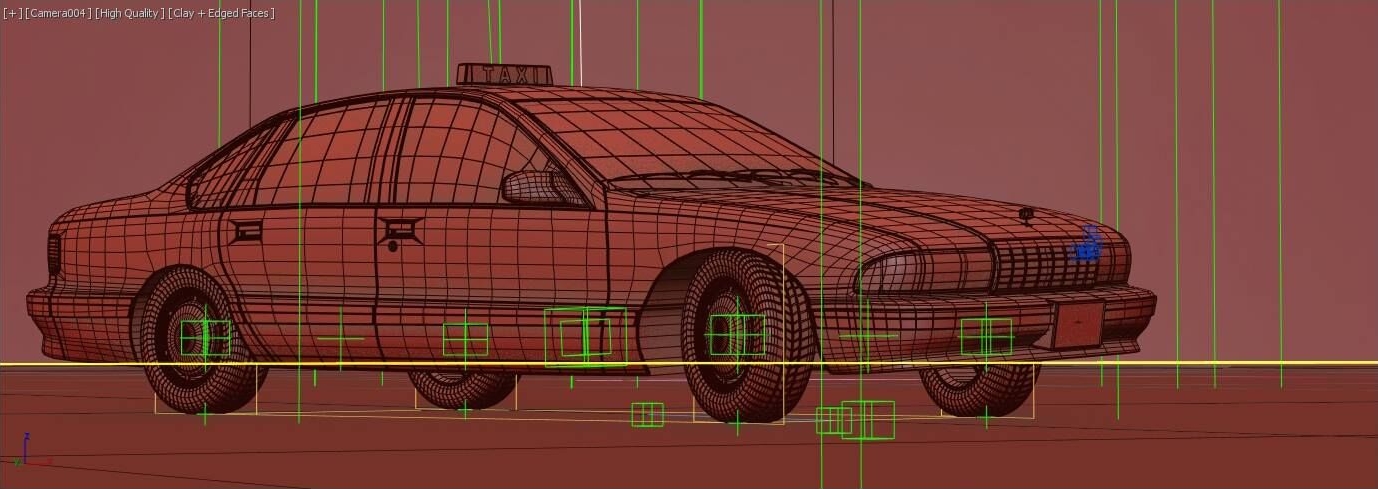
I’m proud to announce the final release of DriverMaster, 3ds max tool for vehicle rigging and animation!
It’s been a long way to make it happen. The first thing I have to do is to say thanks to all who helped it come true, left positive feedback and contacted me!
I really hope DriverMaster will be useful to everyone in the daily basis.
Comments (10)
Comment policy
Thanks for sharing. pdf to
Thanks for sharing.
Super Car Rig Tutorial
https://www.youtube.com/watch?v=vC5d0MM4ZKA
https://www.facebook.com/story.php?story_fbid=839742959767269&id=1000119…
Controlling amount of body spring dynamics
Hi!
I am planning to get this script and wonder if it is possible to control the amount of body spring dynamics? I am going to make an animation of a robot lawn mover and I guess this should have a bit more rigid/stiff suspension than a car. From the demo videos on your web site, it looks like the motion of the vehicle body could perhaps be a bit to dynamic for my scenario. I should point out that I think the motions of the cars in your demos look amazing.
Multiple Cars
Hi, we use your script for some days and it works good.
But we have a problem when we import (merge) an other car with your rig. The rig start to get corrupt. Some part of the car disapear, some get shift over time,...
Is it normal ?
Also, is it better to group meshes into groups (Wheels, body, brakes) or is it better to collapse them in a single mesh ?
Thank you
Hi,
Please send me an email to efim.armand@gmail.com, I will be glad to review your scene.
Regarding the car model, I prefer to avoid using groups.
Awesome script !
Been doing couple of animations with closeup for different cars and here where this script saved me couple of hours needed for rigging those cars ! So easy to work with and so intuitive workflow ! Thanks for this !
Hi, thank you!
DriverMaster has been tested in imperial and metric unit systems. As a matter of fact there is a built in function to adapt dimension parameters to current unit system in the file. However the speedometer only shows vehicle speed in meters per hour. I am planning to make it variable according to the file units in the future release.
Hi, nice script !!! question : is it meter unit friendly ?
wow, really good job
Thank you Martin!