

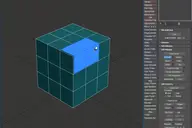

Скрипт для точного изменения расстояния выделенных точек или объекта по вектору двух выбранных точек
Установки, перетащить в 3dsmax, после установки вытащить кнопку или назначить хоткей на Distance Shift в категории RUST Script
основные функции:
- замеряем длину между точками
- двигаем выделенные точки на заданно расстояние, расстояние измеряется от первой точки выбранной дистанции, направление определяется вектором между выбранными точками.
- работает с Editable Poly и с модификатором Edit Poly
- так же можно двигать объекты, выбираем вектор по двум точкам и двигаем на заданно расстояние по выбранному вектору
- на все вводные значения работает шаг назад (undo)
- после нажатия кнопок выбора дистанции можно отменить операция по пкм
- красивая ссылка на канал внизу))
_________________________________
A script for accurately measuring the distance of selected points or an object by the vector of two selected points
Installation, drag to 3dsmax, after installation, pull out the button or assign a hotkey to the Distance Shift in the RUST Script category
main functions:
- measure the length between the points
- move the selected points to a given distance, the distance is measured from the first point of the selected distance, the direction is determined by the vector between the selected points.
- works with Editable Poly and with the Edit Poly modifier
- you can also move objects, select a vector by two points and move it by a given distance along the selected vector
- a step back (undo) works on all input values
- after pressing the distance selection buttons, you can cancel the pcm operation
- beautiful link to the channel below))
Comments (0)
Comment policy