



Precision Tools for Architectural Modeling
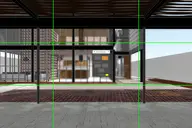
DesignToolbox is a collection of tools specially designed to accelerate and simplify basic modeling tasks for architectural models, furniture design, and other tasks where accurate modeling is needed. Professionals used to CAD or precision software will find some of the included transformation tools very familiar, such as reference rotation, scale and position, measurement tools, and reference guides.
Precision Transformation Tools
CAD-familiar reference rotation, scale, and position tools for accurate modeling workflows.
Advanced Modeling Aids
Visual rulers, snapping points at poly intersections, fast pivot placement, and work planes.
Productivity Features
Fast UVW mapping, randomization and cloning tools, scene management, and panel grids for efficient workflows.

New tools are added periodically
Check the complete feature list
Comments (12)
Comment policy
Bad Review 2
The only reason I still use your set of scripts is the scripts I use - there is no good alternative to several of them. If you had made at least only the Distance and Divide tools, I would have bought this script separately, but if there was a separate script or scripts Expand, Merge, Pivot to Center, Pivot to Bottom, Lock All, Local Rotation and Reference Scale, then I would gladly pay for each of them.
Bad Review
A set of scripts would be great if everything worked. From version to version, bugs appear that are not treated if you do not write to the developer, and if they are cured in one version, they may appear in the next (apparently bugs appear due to the fact that a very large package of scripts and fixing one cannot but harm the other). In general, I do not use a large number of commands from the entire set: Expand, Merge, Pivot to Center, Pivot to Bottom, Distance, Divide and Lock All, I would still use the Local Rotation and Reference Scale tools, but they work correctly only in 3d viewport, and you should not wait for an acceptable result on the Front and Left views. Also, the problem with using this set of scripts is that there are a lot of them! 3ds MAX starts for 30-40 seconds even without scripts, and with this set, the waiting time is doubled. But the cup of patience was overflowed by the latest version, which is not even installed, and after installing an older one, a window with a suggestion to install a newer version begins to terrorize me.
For the developer: if your script wasn't big, then most likely all these problems wouldn't exist, but you just can't cope with this volume. Make some small scripts, but working without errors.
Compatibility
Tested compatibility: 3ds Max 2016 - 2021
Installer support: 2015 - 2021
Regards.
3ds max 2014
does it work for Max 2014?
it is looking really useful
Thank you
crashes Backburner
Still crashing backburner in 3ds max 2019, Its a shame I liked this script a lot.
Backburner problem
will be publishing an update on the next days, resolving the problem with Backburner.
Install DTB crashes Backburner
Installing DTB in Max2018 results in a 3dsMax Adapter error in Backburner (No "ShowProperties" function for undefined), making it impossible to use it.
Please fix this as soon as possible!
(If you install DTB without the ribbon extension Backburner works OK!)
Backburner crash
will be publishing an update on the next days, resolving the problem with Backburner.
Excellent Collection
This is the first Max script I have ever purchased.
I do alot of ArchViz and interiors and I find this collection of tools very helpful. The "Eyedropper" tool in itself is a huge timesaver.
Coming from a Sketchup background, I find the Max measuring system painful to use and the RefGuides tool helps in creating accurate models.
Customer service is fast and friendly.
License
Hi i have sent you a mail.
Excellent tool!
Excellent tool, fast and high quality support. Purchase 2 licenses.
VERY GOOD TOOLS
this is very good tools thank you ı will buy it when I make design