

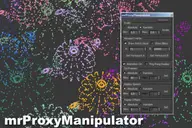


Animating a highpoly character can be very slow in the viewport, as the skinning needs to be calculated. In that case, a lowpoly version of the character can be cut into pieces which are then linked to the bones, so the animator has a good visual reference without any skinning happening. Cutting the pieces manually is quite time-consuming, so I wrote this script to automate it.
How to use: Make sure you are on the skinning pose frame on the timeline. Select your skinned mesh and execute the script. Puppet pieces are added to the currently active layer.
23/01/13: Now supports CAT and Biped bones, also does a name check to see if all bones are named uniquely in the Skin modifier, Should now also work with meshes that have a distorted TM, should not freeze anymore thanks to DisableProcessWindowsGhosting
20/01/13: Automated mesh copy and modifier removal
Comments (5)
Comment policy
the website is down
EOM
Yeah
It works perfectly fine with biped, few suggestions for futur improvements:
- it will be interesting to process mutliple objects in one shot.
- add a button to toggle on/ off in viewport the skinning modifier of the selection
Cat rig/Biped rig
Really interesting,
but your script doesn't support biped or cat rig.
Is it in your projects to support them?
Thanks for that hint. I wrote this for a character that had a custom rig, so I did not test with CAT or Biped. I just tested with CAT and the problem seems, that some CAT bones do not have a normal ".pivot" attribute. I'll see what I can do!
Okay it should work now for any type of bone, as I simply create a mesh snapshot of it and get the transforms from that. I also updated the UI and it shouldnt freeze anymore thanks to some clever guys on cgtalk.