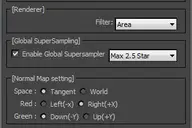
Auto Unwrap.
Plan Type Object.


Listing updated
No reports yet for the available releases.
Compatibility comes from the author’s supported range or requirements in the original listing. A tested version records what the author tried.
“2020 unconfirmed” in the catalog means support for 3ds Max 2020 is still unknown.
Community reports record successful tests on specific releases.
Auto Unwrap.
Plan Type Object.
Comments (6)
Comment policy
???
Sorry but I see no point to this. Just attach all objects to a UV planar modifier and then use unwrap mod to pack the uvs. This script has been done time and time again. In all my years of modelling I've never needed to use one. Besides this is only good for separated objects. Do not use this on box modelling!
+1
Cool
Dude That Script Saved me it's awesome!!
tnk.
Not working
Script is not working for me in Max 2011. Getting this error:
--Syntax error: at else, expected
-- In line:
Script is .mse, so I can't look at or modify the code. I would love to try this script, any suggestions?
thank you!
Thank you pointed out.
I found an error.
I've uploaded the script again.