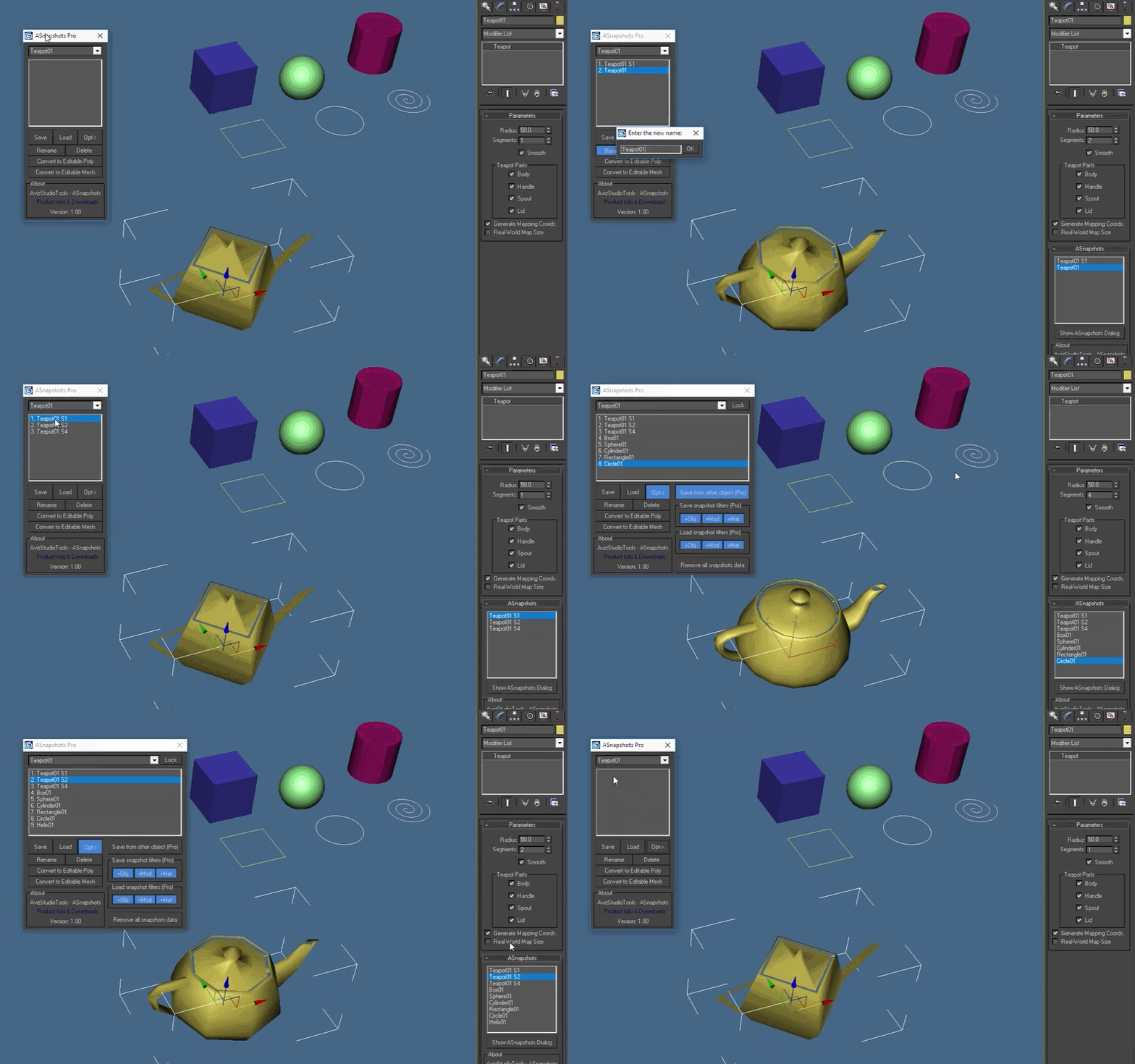
ASnapshots is script for 3ds Max to save and load the state of any scene object, including baseobject, modifiers and material.
Additional Info
New in version 1.0.1:
Small UI improvements.
The Pro version is now available on our website.
How to install:
Download, extract and install the latest version.
Restart 3ds Max.
Add a keyboard shortcut or a toolbar button for ASnapshots by going to 3ds Max menu and selecting: Customize > Customize User Interface… > in "Keyboard" or "Toolbar" tab select Group: Main UI and Category: AvizStudioTools. Assign keyboard shortcut to "ASnapshots – Show Dialog" from "Keyboard" tab or from "Toolbar" tab drag and drop "ASnapshots – Show Dialog" action to a new or existing toolbar to create UI button for the tool (you can find a demo video on our YouTube chanel for this step of the installation).
Finally start ASnapshots dialog with the shortcut or the button that you’ve created.
VideosComments (1)
ASnapshots
Rruhl · 2018-10-26
It would be nice if there is an option that specifies each camera.
 By atanasbak · 2018-10-09