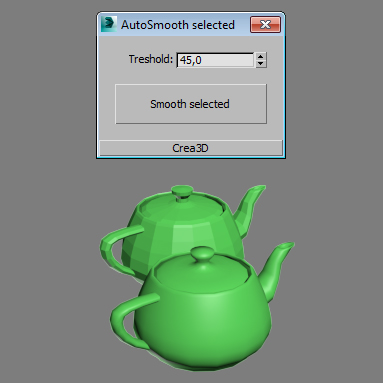
A little script which set autosmooth to selected objects.
Script
 By Crea3D · 2016-11-04
Tags: Poly, meshsmooth, turbosmooth, smooth, geometry, automatic, mesh, Normals, level, polygons, 1-click, smoothness
A little script which set autosmooth to selected objects.
CgBro · 2016-11-09
I would appreciate if you add editable mesh as well.
Crea3D · 2016-11-09
Nightbird, I'll think about it.
Gracepoint · 2016-11-07
Muchas gracias. I did smoothing groups manually, but his script really helped.
 Amoranio · 2016-11-09
There was a bug "missing dll" but now smoothing groups works well.
Amoranio · 2016-11-09
I think the chat has been removed from the plug-in interface after update. It's useless to have a chat inside mse.
Am I missing something here ? is this a replacement profile ??
.eb · 2016-11-07
The chat seems to have gone from an encrypt tool with a DLL .. to a smoothing group button as an MSE ?
#BizzaroWorld ?
Crea3D · 2016-11-06
Magicduck, it converts objects to editable poly.
 manganitro · 2016-11-06
Does it converts geometry to editable mesh?
Crea3D · 2016-11-06
I am glad if it helped.
Amoranio · 2016-11-06
Thank you. Very useful!
CgBro · 2016-11-06
This would be handy
Thanx
CgBro · 2016-11-06
Waiting for updates :)
manganitro · 2016-11-06
Thanks
Crea3D · 2016-11-06
Yes. I'll update it soon.
manganitro · 2016-11-06
Crea3D, will you make a new version to fix this things?
CgBro · 2016-11-06
Anyway this is a good tool.
fajar · 2016-11-05
there's good piece of cake from poly3d unwrap tool....
Crea3D · 2016-11-05
Swordslayer, thank you for information. I'll keep it on mind.
Encrypted script sample ?
 spacefrog · 2016-11-05
Honestly this sounds too good to be true
Could you provide samples of encrypted, fully working scripts to enable people to test this ?
Ok, try it yourself!
Crea3D · 2016-11-05
Spacefrog, try it yourself!
 Swordslayer · 2016-11-05
vd34be7cb98f7_v1.dll ?
Swordslayer · 2016-11-05
Does that mean a new library for each file, or just 'security by obscurity'?
Got that from the list of globals that appeared after running your script:
var: #fgjghjjghjh, val: #("D:\", "Sandbox\", "objectinfo_encrypted_with_maxscript_protector.mse"), class: Array<br>var: #new, val: #(#WM3_MC_GetName, #DYNoldMatNameEnvironment, #BitmapControl, #mrArchMaterial, ...), class: Arrayvar: #fghjhjijgjh, val: C:\Program Files\Autodesk\3ds Max 2017\vd34be7cb98f7_v1.dll, class: Stringvar: #fgjghjjgjh, val: fgjghjjgjh(), class: MAXScriptFunctionvar: #mxc, val: yish0JMyKnmwLF56+g1RFRN1nMNOW/twnSHTr2JDbwEPS+Qia+ro55VkyoEbkF7pMPidSimAQv5J...=", class: Stringvar: #strfgighjjghjhayToBytes, val: strfgighjjghjhayToBytes(), class: MAXScriptFunctionvar: #dlc, val: "77,90,144,0,3,0,0,0,4,0,0,0,255,255,0,0,184,0,0,0,0,0,0,0,64,0,0,0,0,0,0,0,0,...", class: Stringvar: #fgjghjghjf, val: fgjghjghjf(), class: MAXScriptFunctionvar: #split, val: split(), class: MAXScriptFunctionOKSwordslayer · 2016-11-05
Ahhh, I'm an idiot, the vd34be7cb98f7_v1.dll is a file that gets generated by calling strfgighjjghjhayToBytes (strToBytes) on the 77,90,144,0,3,0,0,0,4,0,0,0,255,255 succession - and since I'm like most users and don't allow access to the max root folder, it won't get written there so there's no way to load the assembly and that error is thrown.
And then there's the mxc string which contains the encrypted contents that is decrypted and run by via .NET
So for those who have no idea how to decrypt .mse files, the values are readily decrypted and in global scope after running the script. Hmm, now the only thing that remains is to get the original code from the encrypted string.
Swordslayer · 2016-11-05
Come on, you are making it too easy... I was expecting there'd at least be some form of obfuscation but the decompiled dll will give you everything on a silver plate:

Bonus points for making all the methods public.