
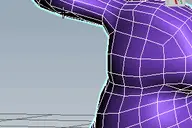
v1.47 Added aligne just by axis X Y Z
Align to XYView
Downloads
Version 1.48Listed version
Listing updated
Release notes
v1.48 Added aligne just by axis X Y Z
Earlier releases (7)
Version 1.47
Release notes
v1.47 Added aligne just by axis X Y Z
Version 1.45
- align_to_xyview_v1.45.ms7.5 KB
Release notes
v1.45 Align Vertex or Edges by far selected ends
Version 1.44
- align_to_xyview_v1.44.ms5.3 KB
Release notes
v1.44 If Command Panel will pulled from 3dsmax, tool will continue work withuot bugs
Version 1.43
- align_to_xyview_v1.43.ms4.9 KB
Release notes
v1.43 Supported align UV coordinates in Unwrap_UVW modifier
Version 1.41
Release notes
v1.41 Added separate tools Experience has shown the need for separate buttons. The window is very inconvenient actualy
Version 1.38
Release notes
v1.38 Supported all any objects
Version 1.33
Release notes
v1.33 supported Edit Poly modifier
- 3ds Max compatibility
- Unknown
Community compatibilityNo compatibility reports yet
No reports yet for the available releases.
Community reviewsNo reviews yet.
Listing details
- Version
- 1.48
- Author’s update date
- Legacy votes
- 3
- Listing created
How compatibility works
Compatibility comes from the author’s supported range or requirements in the original listing. A tested version records what the author tried.
“2020 unconfirmed” in the catalog means support for 3ds Max 2020 is still unknown.
Community reports record successful tests on specific releases.

Description
Setup & notes
install: drop .ms file to viewport
v1.48 Added aligne just by axis X Y Z v1.45 Align Vertex or Edges by far selected ends v1.44 If Command Panel will pulled from 3dsmax, tool will continue work withuot bugs v1.43 Supported align UV coordinates in Unwrap_UVW modifier v1.41 Added separate tools Experience has shown the need for separate buttons. The window is very inconvenient actualy v1.38 Supported all any objects v1.33 supported Edit Poly modifier
Comments (0)
Comment policy