 By lbrooks
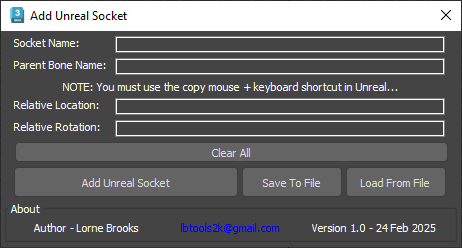
Adds a point helper with a transform that matches an existing Unreal skeleton or mesh socket for aligning and linking props.
Features:
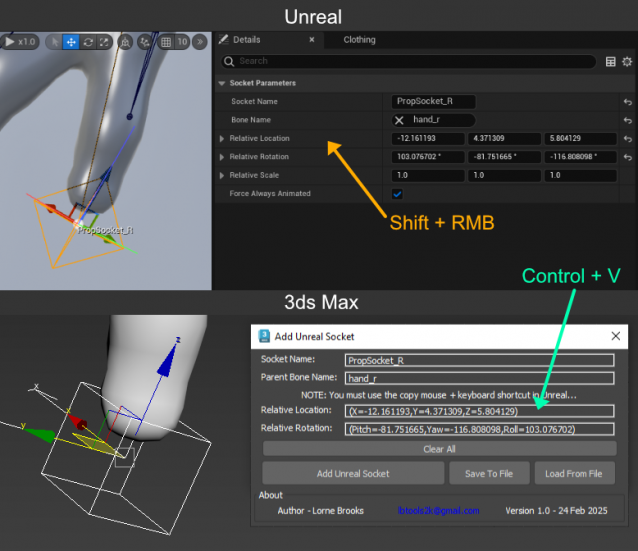
- Easily copy socket data from Unreal using mouse+keyboard shortcut and paste into script UI. No manual string parsing needed.
- Ability to save and load socket data using text files to a chosen folder. Output file name uses the provided socket name.
- Applies a link constraint to the point helper and assigns the parent bone as a target then locks transforms.
- Handles Y-axis flip due to 3dsmax to Unreal conversion.
Maya script version available on Gumroad (free)... https://lbtools.gumroad.com/l/rpajp?layout=profile
Copy paste using Unreal hotkey then paste into script UI...
Lastest Updates:
Version 1.0;
- First public release.