ScriptSpot

Script

activeType

By Jeff Lim · 2009-08-10

Version
0.36
Version requirement
3ds Max 2008 to 3ds Max 2016
Date updated
2015-07-27
Votes
179
Description


Summary of changes for activeType 0.36

- removed spacewarp mods query (it was causing a bit of slowdown)
- disabled subobject, pflow and slate modes
(More detailed info on changes at the History notes below)

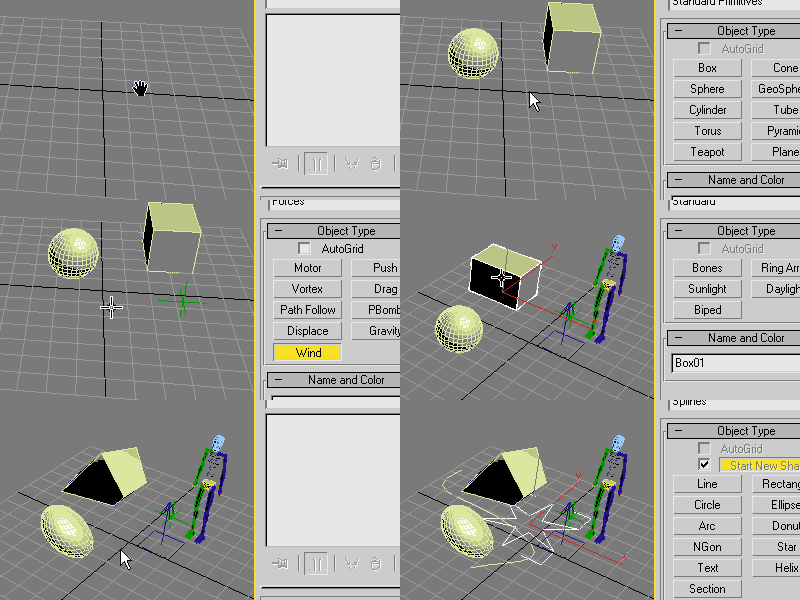
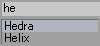
Activetype is a quick way to work around 3dsmax. It gives you a context sensitive input box that generates a list of items that you can use to create geometry, assign modifers, access properties, execute scripts and custom commands.


Additional Info


Youtube - Usage Video

Credits:
* This script was largely inspired by Houdini's intuitive TAB Menu.
* Thanks to Jordan Walsh for the bit regarding .classes!
* Thanks to Daniel Santana (4+Arquitectos, Lda) for the User Commands/Object Parameters/Script Execution ideas!
* Thanks to Sergo Pogosyan for the History List idea!
* Thanks to Martin Breidt for the max commands ini file! (Download his activtypeCommands.ini below)
* Thanks to Arnon Marcus for the bit about adding "Locals"

Notes:

  • Run the script file, it will create commands inside your "Customize User Interface" dialog called ActiveType and ActiveType Preferences under the category Terabyte.
  • When running the script for the first time, the preferences window will pop-up. Here are the options:

    • Exit Token: If you type this text on ActiveType, it will exit the script. It is recommendable that you use the same character/text for your shortcut and your Exit Token.
    • Command Token: This key will invoke the Custom Commands list. (0.35)
    • Box Width: The width of the ActiveType box.
    • Max Items: The maximum number of items that will be displayed.
    • History List: The maximum number of items that can be displayed in the history list. (0.32)
    • Initialize on Startup:  This will create a startup script on your scripts\startup folder. Whenever 3dsmax starts, it will run activeType invisibly to pre-compile the dotNet classes being used, essentialy speeding up loading on first-run. (0.35)
    • Spaces as Wildcards: Will convert blank spaces (pressing the spacebar) into wildcards (*).
    • Windows Start Menu Bar: If you have the start menu always visible, check this option to offset the ui size overflow. (0.30)
    • Custom Colors: Set the colors for the pop-up UI.
    • Open INI File: Opens the activeType.ini file found in your PlugCfg folder. (0.29)
    • Open Commands File: Opens the activeTypeCommands.ini file found in your PlugCfg folder. (0.29)
  • This script is intended to be assigned as a short-cut using non-alphabetic characters. (Right now, it won't work inside the quad menu)
  • This will also save counters for each class that you select on the list, enabling the script to populate the list with the most commonly used classes first.
  • The script is using some dotNet controls, so it might lag the first time you run it. (Enable 'Initialize on Startup' to alleviate this)
  • This can also display a History List of previously selected items whenever invoking activeType. (0.31~0.32)
  • To exit activeType, do one of the following:
    • Press Enter (will execute highlighted item).
    • Click on an item in the list (will execute the picked item).
    • Type in the "Exit Text".
    • Click anywhere outside the input box.
    • Press the ESC button.


0.35 New Features

  • Limited Edit\Editable Mesh / Poly / Spline / Patch Support
    • To invoke the feature, simply be in sub-object mode.
    • The script will work on both Editable and Modifier flavors.
    • Edit Poly in particular, is slightly different. The names will have suffixes for Commands, Buttons, and Pick Buttons.
    • Sadly, Edit\Editable Poly sometimes are unable to execute a command, thus the 'Limited' tag. (You may look at the listener for reports of unexecuted commands)
    • Some of the commands are unfiltered. A command for a sub-object polygon may appear on a vertex sub-object list.
    • This feature does not trigger if you are editing two or more objects. (no yet)
    • The option "Spaces as wildcards" greatly helps to quickly narrow down your list:
      • e.g. On a sub-object Edit_Poly, you may type "t" followed by space (whicih is automatically converted to "*", then type "w" to quickly narrow the list to "TargetWeld"
  • Customizable key for invoking the Custom Commands.
    • Now defaults to the "~" (tilde). Old hotkey was "#".
    • I've also added a Custom Commands INI file on th elinks below.
      • It's a long list of Max Commands courtesy of by Martin Breidt. Simple copy it to your \AppData\Local\Autodesk\3dsMax\2013 - 64bit\ENU\en-US\plugcfg folder.


0.33 & 0.34 New Features

  • Limited Slate Support (for max2013 only)
    • You can only create nodes inside the Slate Material Editor if:
      1. The Slate Window is open.
      2. There is a selection inside the Graph View
        *** Just remember to unselect a node inside the Slate if your list is still showing maps and materials ***
    • The created nodes will appear at an offset to the Left of the selected node, and will be selected.
    • Lists will be filtered depending on the current active renderer.
    • Note that you may see un-creatable Material/Maps on the list. 3dsMax may have automatic safegaurds preventing those to be created via Maxscript.
  • Pre-Load on Start-up
    • There is now an option called 'Initialize on Startup' to pre-load activeType in order to defer the lag (caused by DotNet) whenever launching the script for the first time.
  • The input textbox is now displayed with a cursor and a selectable text.


0.32 New Features:

  • Limited PFlow Support
    • You can only create Operators when you have an Operator/Event selected inside Particle View.
    • ActiveType will switch to PFlow mode only if it detects that the Particle View is the current active window, your mouse cursor is inside the Particle View work area AND you have an operator/event selected.


0.31 New Features:

 History List:

  • A list of previously used geometries/modifiers/operators can be visible whenever invoking activeType.
  • You may disable the history list by setting the count to 0 (zero) from the preferences dialog.


0.30 New Features:


  • The UI will now automatically expand based on the text width, and list height.
  • The UI will also reposition itself whenever it detects that the size will overflow off the screen.


0.29 New Features:


  • User Commands
    • To enter user commands, type "#" as the first character. --> Changed to "~" (tilde) by default on version 0.35
    • To add more commands, edit the activeTypeCommands.ini found in the plugcfg folder.
  • Object Parameters
    • To list the parameters for the active modifier in the stack, type "." as the first character.
    • You can then press the TAB or ENTER key to complete the text. (You can also click the item)
    • Supported parameter classes are Integers, Floats, Strings, & Booleans.
  • Script Execution
    • To execute a one-liner script, type "=" as the first character.


History:

[0.36]
2015-06-11
- fixed command mode not working
- found part of the cause of the slowdown whenever querying modifiers:
   - removed spacewarp mods query, it was causing the slowdown
   - the speed at which activetype will query modifiers will be the same as the speed at which
     the modifier dropdown on the command panel appears.
   - i may have to build my own modifier cache to query from to speed things up a bit more.
- added "local" to variables to avoid liekly errors against other scipts (Thanks to Arnon Marcus)
- disabled subobject mode as this changed the way activeType initially worked
  - will update this to use capitalization in order to invoke sub-object mode.
- disbaled pflow and slate modes (I will need to look for better methods on detecting the dialogs)

[0.35]
2013-03-17
- fixed alt-press on opening ini files for win7
- disabled custom color checkbox - it was kinda redundant to have the switch
- added (limited) support for subobject mesh/poly/spline/patch modeling
2013-03-19
- updatead the Preferences UI and some functionalities
- added customizable Custom commands token string
- reworked the pre-load feature

[0.34]
2012-10-03
- added startup pre-loading
- restructured some code
- modified textbox to have selectable text
2012-10-04
- added (limited) support for the Slate Material Editor for max2013

[0.33]
2012-07-10
- improved Custom Commands listing (as requested by Martin Breidt)
- upon opening the activeType Preferences, it will auto-create a sample Commands File if it doesnt exist
- under the activeType Preferences, pressing [ALT]+[Open INI/Commands files] will open windows explorer to show the file and is selected.
2012-08-11
- fixed Pflow Dialog Detection using a much simpler method

[0.32d]
2011-12-06
- fixed PFlow Dialog Detection checking error

[0.32c]
2011-12-05
- fixed History List not initialized properly
- fixed PFlow Dialog Detection at index 1-3
- fixed blank "Exit Text" quick exit

[0.32b]
2011-11-30
- fixed Pflow creating ghost operators
- fixed "Color Hisroty BG" typo for INI file
- fixed history list - valid modifiers filtering

[0.32]
20011-11-29
- added clean-up for pflow creating unnecessary Display Ops [2012]
2011-11-26~27
- reintegrated/simplified the pflow functionality
- added max2009 check for UIAccessor
2011-09-06
- initial tests for pflow support
- added PFlow support (pfview check and creation methods)
- added classPFExemptions
- added krakatoaClasses

[0.31]
2011-11-25~26
- added class history list
- internally renamed some variables

[0.30]
2010-01-27
- added auto extend width
- added offset UI on screen edge overflow
- added "windows menu bar" checkbox to control overflow at the bottom

[0.29b]
2010-01-27
- fixed max2010 on japanese win vista list height
- added preferences as a built in command
- fixed TAB error if no text entered
2010-01-26
- fixed TAB key error

[0.29]
2010-01-25
- code clean-up
- fixed parameter list will now work on multiple base objects
- added open INI file button
- added open Commands INI file button
- separate INI file for the commands list
- added enter key on parameter list to complete
- added parameter and command counters/ranking
- added one line script execution using "="
- added ESC key to exit
- added click an item on the parameters list to complete

[0.28]
2009-12
Daniel Santana added a couple of neat features:
- added support for user commands using "#"
- added support for object properties (integer, float, bool and string) using "."
- added tab key on parameter list to complete

[0.27b]
- fixed error with japanese characters inside the script

[0.27]
2009-11-04
- fixed error on max9 with spaces as wildcards on
- I was using the function substituteString which isn't available in max9
- another fix for the dynamic UI height
- fixed for English/Japanese OS inconsistency
- adjusted width of the list for cosmetic reasons

[0.26]
2009-09-13
- fixed dynamic UI width/height
- max 2010 was showing inconsistent list height
- custom colors checkbox

[0.25]
2009-09-11
- disabled mouse checking within the UI
- fixed small UI size discrepancy
2009-09-10
- added custom colors
- added max items
- added spaces as wildcards

[0.24]
2009-08-14
- UI - colors
- UI - max height
- UI - spaces as wildcards
2009-08-12
- added spacewarp modifiers
- fixed preferences bug

[0.23]
2009-08-11
- a quick fix to exit activeType if it looses focus.
- added notes on how to exit the script.

[0.22]
2009-08-10
- removed internal timer
- added preferences

[0.21]
2009-08-10
- converted listbox to dotnet

[0.20]
- added all creatable classes
- switched editText to dotNet for up/down keypress detection
- added up/down keypress
- fixed listbox height calculation

[0.10]
- initial build

Attachments

Tags: shortcut, tab menu, houdini

Comments (188)

fajar · 2023-09-28

Hey Jeff

I've updated your script so that it support for SME work (again), I only tried it on Max 2024 tho, maybe lower version will work too...now you can search and create material in SME using it. Tho not perfect , I hope its help. Ive plan to add another feature in future, hope you don't mind.

Thanks for your beautiful script

Attachments

titane357 · 2023-09-28

Thanks ! it works ( for me ) Max 2022 ! :-)

themaxxer · 2023-04-14

ok, I got it to work... assigned a hotkey directly in max not over preferences... and voilà :)

themaxxer · 2023-04-11

use it all times, but it doesn't work in max 2023...!
it seems not to be a big thing, but I can't code, so maybe someone could correct it. :)

thanks.

Still The Greatest

marthgun · 2020-05-27

Thank you redtiger for your comment, I thought this may not work in 2019 but it does and it is glorious.

activetype for latter update of 3ds max

l1r1m · 2020-04-07

Hi guys,

bc our lovely 3ds max global search it slow as hell and sometimes it interferes with other shortcut while typing its not a good option to use.

I was wondering if there is a way in active type to update the 3ds max 2020 commands be there a a lot of commands that ative type doesn recognise for max 2020 in my case.\

Thanks a lot.

Its work on 3ds max 2020

redtiger · 2020-05-26

hey its work on all version so far

just be sure to drop the file in 3ds max after u have to

Run the script file, it will create commands inside your "Customize User Interface" dialog called ActiveType and ActiveType Preferences under the category Terabyte.

for me I assign active type with "shift+1" (not the preferences it launch at the first time it un needed to have him a shortcut for my point of view )

that it have fun with the best script ever for 3ds max :D

shemfir · 2019-08-30

my favourite script) thanks a lot

change the wildcard

vikirecon · 2017-09-08

hi
can anybody help me to change the wild card space to something else

thanks
viki

Showing Error when Selecting Objects

vikirecon · 2017-08-07

hi jeff
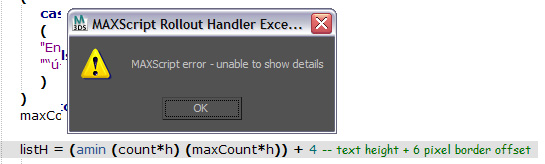
when i run script from run maxscript command or drag and drop error comes up screenshot of which i am attaching below in pic as error 1

and after that when i select any object for example box and activate activetype it shws the following error as pic error 2

please help this is the most used script by me

Attachments

height font command and box

d1myan · 2017-02-03

Hi. how to increase the font? You can make to the settings? or tell how to edit script?
Thank you.
P.S. sorry for the google English

fajar · 2016-05-12

I don't think so...looking at your screen shoot its look like Chinese lang to me.
Maybe you need to restart your max or windows , or you can increase heap memory for maxscript in preference.

su37 · 2016-05-11

Yes,is english version

su37 · 2016-05-10

I use max2014 run the script,why?

Attachments

.

miauu · 2016-05-10

Are you using english version of 3dsmax?

.

miauu · 2016-05-12

Or comment the line that gives the error and run the script again.

dimenions in feets

vikirecon · 2017-09-13

hi miauu

can u please help me in changing dimensions from inches to feet

when i put height length or width number it changes dimensions in inches i want it in feet

thanks

viki

macro script

amir3dsmax · 2016-04-02

is there anyway to add macro script to list of command ?

Royal Ghost · 2016-04-06

Yes, in activeTypeCommands.ini add :

CommandName =macros.run "ScriptCategory" "ScriptName"

Jeff Lim · 2015-09-22

Hi, that is quite odd. I've been using it without any errors so far.
Is it always happening even on a new/blank scene?

harumscarum · 2015-09-13

-

Small Update 0.36

Jeff Lim · 2015-07-27

I've updated the script and have been using it on max2014/2015/2016. The changes are minor. No new features yet. I will add them as soon as I get some time.

  • I've remove pflow and slate support temporarily as it tends to not detect the dialogs correctly. I'll put it back when it's fixed.
  • I also removed subobject mode for now, but if you guys do use this mode, I'll do another quick update just to have it properly integrated via another key word.
  • In max2016, the Global Search tool is unable to detect MCG objects and modifiiers. But actuveType can :)

EDIT: I forgot about sergo's update on sub-object mode. I'll integrate his revisions on my next quick update.

sergo: I agree, thank you for updating it! I''ll include it on the next version.

alteredgene: Great Idea, I'll add that. I can see it a as folder repository for that can contain multple custom command ini files, all of which will be read by activeType.


Hi! my favourite script! wanted to make a suggestion

alteredgene · 2014-06-16

Hi Jeff, first i wanted to say this is one of my favourite script! and i have been actively spreading this script to my colleagues and we are all loving it as a team!

wanted to make one suggestions if i may.

////

i really appreciate you added custom command files.
i actually had similar script built for shortcuts (no way as advanced as yours) so i transferred lot of those commands as your custom command.

i was wondering, if we could set the folder activeType reads its command files? i have been utilising this feature adding lot of custom commands in, and i wanted to keep the .ini file somewhere safe (such as my dropbox) so i can use it at work and home, and is backed up.

for example, we could CTR click to set target folder?

///

thanks! and really appreciate your constant updates and amazing new features!

awesome

3dhippie · 2013-08-21

Hi. I just started using this script as I've seen people use it and was very impressed. This is really one of the most useful scripts I know. Thumbs up :-)

Version with optional sub-object mode

sergo · 2013-08-02

Hi Jeff!

I've got so tired of switching off subobject mode to apply regular modifiers that I decided to edit your script a little.
In this version subobject commands could be entered only if started with "_" character. Otherwise regular modifiers shown in list.
Altered lines in script marked with --added by Sergo comment.

Thank you!

Attachments

jefim · 2013-11-15

Thank you very much. You are doing fantastic job.

spline sub object mode

jsrocha · 2013-11-18

Hey Sergo, how´s going?
i was trying to use your edited version of the scritp, but seems that it doesn´t work with spline sub object mode. It doesn´t work to you either? or am i doing something wrong?
Cheers,

Jsrocha

It seems to work for me

sergo · 2014-02-22

Hi Juliano

It should work, I just tested it on clean 2012 install. Look:

And underscore for modifier commands:

Last used Modifier Values

spriggy · 2013-06-22

Hi, first of all, thank you so much, your scrpit is great and helpful!!!
I have a question,maybe too stupid, i noticed that when i call a modifier from the lateral bar it remember the lasts values setted, but when i call the modifier from your script (also from the X search in max 2014) the modifier came with some presets values, Why?

I hope you understand my terrible english!

Can not down

nikichi · 2013-05-19

Dear all,
Sr my bad English, i have problem, i can not down file (.ms), when i click on link it has a new tab include text. How can i install this max script.
Thanks all.

Way to turn off Sub-Object Editing Support

sergo · 2013-06-01

Sub-Object Editing Support is a great thing, BUT! I really would like to turn it off because I'm adding modifiers usually while being in sub-object mode, and now it is not possible to do so. I have to switch off sub-object mode to be able to add some modifiers.
It is one extra click! Don't we writing the scripts to reduce the number of clicks? :)
Seriously, thank you very much for this great script, really.

G2Zs · 2013-06-29

Hi,

I agree with Sergo. I'm frequently adding UVW map inside sub-object mode and now it is missing.
Supporting sub object modes is a great feature though, but beside 'Button' and 'Command' choises there should be one which opens the caddy.

ActiveType was one of my favourite script on the earlier releases of 3ds max, it really speeds up the work.
I ve tried to get used to the new Search Command feature, but it is not that convenient, so I come back to ActiveType.

So keep it up! :)

bannor9 · 2014-06-24

try right clicking the link, and then choose "save as" and that should prompt you for a file name to save it.

alteredgene · 2014-06-25

thanks for the response.

what i was hoping for was, having ability to load up the [activeTypeCommands.ini] from other locations, and having the ability to set the target folder.

reason behind this was that if i were to build up the [activeTypeCommands.ini] file extensively with my own commands etc.

forget to back up that specific file, which sits under the script folder i assume, will be lost. plus i wont' be able to have it synced to my work computer + home computer.

of course there will be other ways of syncing, using file syncing utilities, but was hoping for something more straight forward where i could actually set the folder of [activeTypeCommands.ini] to my dropbox for example, where it will be backed up, synced across computers ; )

thanks though!

nunomoser: is cool! Thank

Royal Ghost · 2013-05-04

nunomoser: is cool! Thank you.

Jeff Lim: Maybe you can add multiple activetypecommands.ini support for easy manage different lists of commands?

bugmenot · 2013-07-07

Yes, multiple ini with a filter for selecting which commands to use would be perfect. Also the possibility to filter a custom ini for most used commands would be useful.

SoulBurn Scripts commands for activetype

nunomoser · 2013-05-03

I've been looking for a simple way to run the soulburn scripts and found the solution with activeType!
Now I can call the soulburn scripts just by typing a command. Great!

The attachment is the list of commands that I customized ready to be pasted on the activeTypeCommands.ini

Note that this is for the soulburn scripts ver069_R2013 and I don't know if will work on the other versions.

Have fun!

Attachments

silencer77 · 2013-04-30

Hi!

I have been a long time active type user. I have rarely had any problems with it. Now for some reason I get an erroe message when I use it while having an object selected. Sub and slate works though. The error message says something about a node missing. I have tried installing all previous versions. Not at work now but do you want me to mail you a screengrab? My email is daniel@haymakerfx.com. Appreciate any help. Love the type!

fajar · 2013-04-17

the first time I see x function on max 2014 I had the same thought as barigazy....I give you support if you want to yell to AD.

harumscarum · 2013-04-17

thank you for updated versions with great improvements/
but weird bug came with SME support - MultiScatterTexture is always red (http://joxi.ru/JLluUdg5CbDbJRN3ggE)

RE: jefim

Jeff Lim · 2013-04-09

I see... I did not anticipate that one.
What's happening is, in the latest version, if you are in sub-ojbect mode, only the sub-object commands will be listed... So if you want to query the modifiers list, you need to exit subo-bject mode.. BUT, I now see that it does defeat a key purpose of activeType.
I'll add an option for the next minor update so that you may see modifiers and sub-object commands at the same time.
Thank you very much for the youtube video. It helped a lot.

asymptote · 2013-04-07

Max 2014 search function is very limited, not configurable, no history etc etc...
I too think it's a shame AD have taken your idea with no credits, but so far they have implemented it badly.
Please continue to develop this script, it is essential to thousands of Max users, my faith is in you , not AD. :)

RE:

Jeff Lim · 2013-04-09

razanus: Thanks, I believe I'll continue developing this tool as long as there are users requesting features and reporting bugs :)

Royal Ghost: Awesome, I'll add the fix for the next minor update, thank you for catching it ^_^

70086504: Cool idea, I think its doable.. it would come as a new token on loading a list of Material Editor and Scene Materials.

walter colling: Hi walter, I checked the class names for those on my max2010, it appears that they start with "mi" instead of "mr"

jefim: Hi, any chance you could give me a step by step scenario on the problem you are encountering? : )

barigazy, chakib, asymptote:
I actually never noticed that new feature, it is cool that Autodesk is adding new useful features in max.
Based on the docs, it queries the commands found on the Customize User Interface dialog (mostly MacroScripts), so you will be somewhat limited on searching for plugins not native to max.
Putting aside its early implementation, I am actually quite optimistic about it, hopefully in the next release the tool would support customization, that way I or any other scripter could extend it.

In relation also to the new Search function on max2014, I actually had something quite similar in the works for the next major update.. which is to support MacroScript commands.
But for the mean time, I'll be squeezing in some time to implement a couple of minor requests from other users and release an update with the fixes.

Thanks and Kinds Regards,
Jefferson Lim

Hi Jeff,

barigazy · 2013-04-05

Are you informed about this features inside max2014 ("X" shortcut key)?
Do they give you some credit for this?
If not then it is regrettable that some of our (maxscripters) ideas taken without any notice.

I agree

chakib · 2013-04-07

he must speak with Autodesk about that, the first time i've tried this feature is here with this script, so he must be paid for this !!! :s

jefim · 2013-04-05

in Version 0.35 FFD modifier is`t working under mesh subselection

mr area doesn't work

walter colling · 2013-04-03

Hello,

When i type "mr" appears just "mr proxy" and "mr sky portal".
What can i do for appears 'mr Area Omni" and "mr area spot"?

thanks

70086504 · 2013-03-27

hi,
can you add some materials on the list?
sometimes we need assign a material to a new object and the material is maded in the scene....

thanks.

Fix

Royal Ghost · 2013-03-21

I found a problem with 0.35 UI. It seems need force BorderStyle.None for classTxt.

Fix 1343 line (add):

classTxt.BorderStyle = classTxt.BorderStyle.None

Thanks!

razanus · 2013-03-21

Thak you real really much for your effort in developing this tool!!! for me it is one of t te tools without I couldn't use max. And hope for not abandoning it in future as it is really awesome!

Jeff Lim · 2013-03-20

fajar: Thanks! No problem! I'll add your file up on the downloads list :) I was gonna do some rounds on max9 to see what parts I should revise.

Royal Ghost: Yeah, i believe so too.

fajar · 2013-03-20

Thanks jeff for wonderfull script, tho I still using max 9, so I made some revised version of it to work with my max version, I hope yourn't angry ...gu hehehehe....

here is a little revised version that worked with max 9.

Thanks a lot.

Attachments

Thank you for new version!

Royal Ghost · 2013-03-20

When I updated activeType to 0.35 version I found annoying UI bug. Can you fix it?

Jeff Lim · 2013-03-20

Royal Ghost: Hi, I don't see that happening on my end.. what max version and windows OS are you using?

titane357: Thanks! I'll update the description then :)

Royal Ghost · 2013-03-20

Royal Ghost: Hi, I don't see that happening on my end.. what max version and windows OS are you using?

win7 x64 (max2011, 2013 include all SP/HF) .I have customized win7 ui, it must be a problem.

titane357 · 2013-03-20

"Version Requirement: 3ds Max 2008 to 3ds Max 2012"
you can write to 3dsmax 2013 !!! ;-) it works like a charm,
I use it from the very beginning, it is one of the most usefull script !!!
Thanks

RE:

Jeff Lim · 2013-03-19

demmaone:
Thanks! glad you got it working

arvmetal:
Any chance you have a screen grab of the error? : )

themaxxer:
Thanks dude! You're welcome.

titane357, harumscarum:
I added an option to in the activeType preferences called 'Initialize on Startup'. Enable the option so that you could pre-run the script upon start-up. The lag is most probably caused by the dotNet stuff I'm using inside the script. 3dsmax will at least (by default) need to compile it once, thus the noticeable lag.

obaida:
Thanks for the info, I'll take note of it.

Shelby87:
Thanks to you too!

jos:
Yup, it's now in the new verison 0.35 ^_^

Martin Breidt:
Thanks again Martin!

jsrocha:
Hello, I reworked the detection for PFlow. Although most of it are still considered workarounds.. I hope it wouldn't crash on you that much. In my experience using the feature, I did to encounter crashes. But sadly, I'm also unable to pinpoint the exact cause. Scripting  the ParticleView can be very challenging indeed.

onilinksword, razanus:
Hi, I added the (limited) support for Slate. Read the notes above on usage.
My limitations were mostly in the form of my knowledge of what maxscript is capable of getting in terms of access regarding the Slate. Hopefully you guys still find it usefull.

with SME

razanus · 2012-10-20

Hy! I would also find very usefull the implementation of ActiveType within Slate Material Editor. Since this script came out I cannot work without it in Max and I find very annoying searching throughout the right click menu in SME the material/map that I need.
Anyway, the script is great and I hope in further developing it.

More features!

onilinksword · 2012-10-20

Okay, I have used this script for a short period of time, but it's very useful and blends into my other workflows very easily. I would like to see this implemented into other aspects of max. For example, the slate material editor. Instead of using the search box, just bring up active type and, volia, materials!

Help

jsrocha · 2012-07-20

Hi Jefferson, first of all, thanks for the script, it´s awsome.
i´m having a problem in some scenes, when i open the script i got an error (please see attached images). It happens in some files, not in all, but it bugs me a lot, because i´m addicted to this script and i can´t work without it anymore :)
i´m using max 2012 in windows 7 professional .
Thanks in advance,

Jsrocha

Attachments

custom commands?

Martin Breidt · 2012-07-05

Again, this is a superb script and very well executed, thank you!

For some reason, my installation did not come with an activetypeCommands.ini file, so I created on. Looking at the code, I could figure out what needed to be inside (Just a [Commands] section, followed by pairs of =).

Now I wonder whether there are any already existing files for this that I could build upon? The first thing that comes to my mind is to add everything from 'max ?' to that file - or is that a bad idea?

Martin

PS: I have suggested such a feature for inclusion into the core of 3ds Max:
http://3dsmaxfeedback.autodesk.com/forums/80695-general-feature-requests… ==> anyone feel free to add your votes!

very fine script

jos · 2012-06-01

hey, thanx for this awsome script. I'm a fan of typing short maxscript commands. Is it possible to have a setting to turn the cursor on where you type?
I copy code in the textfield, but it's very annoying if i have to change a letter or someting. Hope you'll add this

Shelby87 · 2012-05-03

thanks a lot!! This is the first version i start using. I need that for work but i've always been dense about making all kinds of stuff like this.
this is almost a video, thank you for sharing your knowledge Lim!

I found the proplem

obaida · 2012-03-29

--Unknown property: "surfSubdivide" in $..........

this problem is caused by conflicting with plugins called (OceanShader.mse)
this scripted plugins installed with Swift-Switch (V-Ray Ocean) .
I don't know why but i think , because this plugins acting like a modifier but its not listed in modifier list !

long first time run

harumscarum · 2012-02-02

yeah, same for me, first run of the script takes 2-3 seconds. dont think it could be fixed because as i understand on first run script is collecting all data about modifiers and so on

so i made autostart script in order to run ActiveType on max's start
but how to make it run in 'silent mode'? i mean just run it without appearing in viewport


macros.run "Terabyte" "activeType"

titane357 · 2012-02-02

good idea. just need Jefferson Lim help there ! ;-)

long time opening

titane357 · 2012-02-02

this is MY EVERY DAY script !!! but for some times when I open max and hit for the first time ActiveType shortcut, it open a blank aera and then freeze max for 10 seconds.. After all is ok. Not a big deal, but strange. Thanks.
MAXdesign2012 win7

themaxxer · 2012-02-01

this is one of the best scripts I am using and I am a script junkie. :)

it's a real timesaver. thanks for your effort.

Finally working

demmaone · 2012-01-14

I had to format the disk again and install 2012 without any SP and run the script before installing anything else like vray, rayfire and other scripts and know is working fine. Thanks for the support and congrats agian for the script!

Problem with 2012 version

demmaone · 2012-01-10

Hi, I had this script running perfectly on 2011 but now that I have it on 2012 I had errors went I try to apply a modifier to a selected object (box, spheres, etc):

--Unknown property: "surfSubdivide" in $PolyMesh:001 @ -7.822121, 19.366165, 0.000000

If I try to create an object without anything selected it work fine.
I installed the SP1 and I tried .30 and 0.32d and both have the same issue.

If I close the alert and try again and then close it again I can select from the list a modifier or another action so I suppose that the script works...

Thanks in advance for your help and congratulations for your work.

re:

Jeff Lim · 2012-01-11

demmaone:
Hi, that is odd.. is there a chance that you could test the script on another computer with max2012 installed? I'm guessing that there must be something else in your setup that is in conflict with activetype. The error that you posted seems to be trying to set the "Use NURMS Subdivision" of an Editable Poly. Activetype doesn't have functions to do these. I'll try to do another round of tests for 2012 when I get time at the office.

harumscarum:
1. Thanks for the UI suggestions, seems doable.. I'll try to insert options for border size and color next time.
2. Yup, I will be building a an interface exactly for that, plus options to add custom commands more easily.. soon.
3. Hmm.. I'll look into options on how to disable my internal filtering so that all the modifiers will appear on the list.
Thank you very much for the insightful suggestions!

Sergo:
Material Editor/Slate: Yup, It's on the top of my next endeavors for this script :)

pit3ds:
I'm terribly sorry.. and I really appreciate the effort, but I still can't wrap my head around what you're trying to suggest. I hope this doesn't come out as offensive. :)

demmaone · 2012-01-11

Jefferson, thank you very much for your quick reply.

The alert came out no matter what letter I hit. Unfortunately I don't have another pc to test. I tested .30 and .32d in 2011 and they work perfectly (did this because I'd just formatted win7). I will try to uninstall SP2, maybe SP1 too but it corrects some annoying bugs and it's useful.

I will try to make a clean install, can you tell me where are the files I need to deleted first? Thanks again.

:)

Jeff Lim · 2012-01-11

demmaone:
No worries, to uninstall.. run this script on the listener to open your userMacros folder:
shellLaunch (getDir #userMacros) ""
..And this one for the plugcfg folder:
shellLaunch (getDir #plugcfg) ""

inside the userMacros folder, locate and delete these files:
Terabyte-activeType.mcr
Terabyte-activeTypePreferences.mcr

and for the plugcfg folder:
activeType.ini
activeTypeCommands.ini

those are basically all the files that activeType creates.

arvmetal · 2012-01-27

Hi, thanks for this very useful script, but I having the same problem such as demmaone.

slate material editor

harumscarum · 2011-12-23

any chance to add SlateMaterialEditor support (maps, materials, etc)?

That would be super cool!

sergo · 2011-12-26

>>any chance to add SlateMaterialEditor support (maps, materials, etc)?
That would be super cool!

sergo · 2011-12-19

Jeff, script is just ideal, thank you one more time. History list is perfect! It's pity I can't add scriptspot points more than once.

The other thing I'm thinking about now is how to make script remember modifiers' and objects' settings that user entered last time. I think it could be done by remembering object/modifier properties on some 'deselect' event handler and then reapplying them somehow.

harumscarum · 2011-12-14

Hi Jeff! thank you very much for efforts improving script - cannot live without it now )
1. here i attach PNG with some interface suggestions
2. and could be any option to assign custom names for modifiers? (for example "Normalize Spline" instead of "Normalize_Spl" or "Delete Spline" instead of "DeleteSplineModifier")
3. i'd love custom exclude filter (for example it is possible to assign smooth or methsmooth modifier to spline, but in fact never need it)

i hope it could be easily implemented through existing INI file which everyone could edit on their own
thanks

Attachments

pit3ds · 2011-12-07

still does not work in the Particle View. Now, just shows that you can create objects or modifiers. activeType.ini tried to remove and still do not work.
3d max desine 2012 64bit.
activetype_0.32d.ms 42.29 KB

That's odd..

Jeff Lim · 2011-12-08

I'll try to do another round of tests.. i'm currently only able to test it on max9 to max2010 though.. and it is working fine from here.. 🙂

- Are there any errors popping out?

- Did you select an operator/event first before invoking activetype? PFlow support will only activate if you have an operator/event selected inside particle view..

there was no error

pit3ds · 2011-12-09

1. there was no error.
2. did everything according to instructions.

Thanks pit3ds

Jeff Lim · 2011-12-09

I'll try and download a trial for the 3dsmax design 2011.. I've tested it on 2012 back at the office, and it seems to be working fine.. may I know if you're using win xp/vista/7?

If it's not too much trouble, would mind running a special version of the script? I uploaded it as: "activetype_0.32d-pit3ds.ms"
It is still the same script, but I added a line where it will print out the current dialogs open in 3dsmax whenever you're invoking activetype.

1. Install the script. (activetype_0.32d-pit3ds.ms)
2. Open particle view.
3. Invoke activeType.

It should print out something like this on the listner:
dialogs: #("", undefined, "Particle View", undefined, "MAXScript Listener", undefined)
Then just paste it here in the comments.. I want to see if the Particle View can be detected by the script.

Thanks and Kind Regards,
Jeff

pit3ds · 2011-12-09

I have win7 64 bit.
Now I have to work, which is strange. That work does not work. Campaign, I realized why. The fact is that when I go into the particles is chosen instrument, I set to "move" or "rotation" and "angle shap toggle". Although it is sort of like working with the "move" or "rotation". I think it should be dealt with by a tool is selected and whether the object is selected or not (PF Source).
Spread of MAXScript to report idle time:
Max to Physcs Geometry Scale = 1.0
dialogs: #("", undefined)
___________________
Spread of MAXScript report from the working time (got a couple of moments after the first non-working times. What did not accurately describe the can.). The code that was previously changed to such a view:
Max to Physcs Geometry Scale = 1.0
dialogs: #("", undefined, "Particle View")
dialogs: #("", undefined, "Particledialogs: #("", undefined," Particle View ")
dialogs: #("", undefined, "Particle View")
View ")
dialogs: #("", undefined, "Particle View")
__________________________
sorry my English.

Thanks

Jeff Lim · 2011-12-10

Glad to hear that it was working. A selection is needed because I can't find maxscript access on where the mouse is inside the Particle View work area.

pit3ds · 2011-12-10

can then do a background check only on selected node (if the chosen node then the script works. If there is no effect.) I think it would be better to comply with a rule-if you want a script that would work is allocated node, or if you want to work with related subjects is allocated in an empty area of ​​the particles . I hope you understand me))

Jeff Lim · 2011-12-10

I honestly don't fully understand what you're trying to convey :)
Any chance you could tell me you're native language? I may be able to interpret chinese/japanese :D

pit3ds · 2011-12-10

My native language is Russian.
version 1
I suggest to leave only to check the "You can only create Operators when you have an Operator / Event selected inside Particle View.". The second item of the list suggest to remove it.

To work with geometry related subjects propose to remove the selection from the selected node.
version 2
propose to remove this item from the scan, "Particle View is the current active window, your mouse cursor is inside the Particle View work area"
that would not work with activetype Particle View window within the Particle View propose to remove the selection from the selected node. (select none)

How would propose to remove the part responsible for checking when the mouse cursor in the window, Particle View and is the current active window. I think in this part of the code is the problem and the script stops working and it will be easier.

I want to reiterate that the script works through time. And I think this is due to the chosen instrument "move" or "rotation" or "select object" and to check - "Particle View is the current active window, your mouse cursor is inside the Particle View work area".

pit3ds · 2011-12-07

error calling ActiveType in Particle View (all conditions are met).
error code "- Type error: if-test requires BooleanClass, got: OK".
Line 801.
3d max desine 2012 64bit.
activetype_0.32c.ms 42.03 KB

pit3ds

Jeff Lim · 2011-12-07

Thanks pit3ds, I go the same error last night while at work.. uploaded the fix now.
0.32c -> 0.32d

SaiLing: hi! posted another update with a pflow fix. :)

0.32c work fine ~

SaiLing · 2011-12-06

Hi, Jefferson.
installed 0.32c and it work!
Thanks a lot :)

Royal Ghost · 2011-12-05

Thank you Jefferson for the update! This is tool is real time saver!

I'v got same trouble that SaiLing. It seems this trouble happen when "Exit Text" properties is left blanked.

Thanks Royal Ghost

Jeff Lim · 2011-12-05

I see.. I think I need to look for other ways to exit activeType using the same assigned short-cut.
Right now, it is a MUST to enter an "Exit Text" character (preferably the same Character you assign as a short-cut to invoke activeType.
I guess for the mean time, I'll just add in a message pop-up whenever the user leaves the Exit Text blank.

Blank "Exit Text" Fix (0.32c)

Jeff Lim · 2011-12-05

- Blank "Exit Text" now won't close activeType

I've overwritten 0.32c, so to anyone who downloaded the file kindly re-download. :)

(thanks to the ff persons for reporting the issue: harumscarum, SaiLing Royal Ghost)

0.32b not work~

SaiLing · 2011-12-05

Hi, Jefferson.

I have problem with 0.32b,
the input UI is just fast popup then gone,
But 0.30 work fine

I use max 2012 64 bit with subscription pack

hope it can help you to fine the bug.

Thanks :)

SaiLing

Jeff Lim · 2011-12-05

Hi, my first hunch is that something must be triggering it to exit..
I'll test the script again at work.. for the mean time, could you try downloading the latest update? 0.32c

..then try commenting out line 1063
-- try(destroyDialog activeType)catch()

This would refrain activetype from exiting whenever the dialog loses focus.. See if it would stay even if you click outside the activetype box.

Thanks,
Jeff

Jeff Lim · 2011-12-01

harumscarum: Hi, may I know the version of max that you are using?
I've tested this on max9~2010.. I also had a quick test of it on 2012.
Could you try deleting the activeType.ini file?

Run this script to open the folder where the ini file is saved:
shellLaunch (getDir #plugcfg) ""

hi Jeffthank you very much

harumscarum · 2011-11-30

hi Jeff
thank you very much for update
i tested it already and found some issues:
1 - doesn't work if "exit text" field is empty
2 - error in ini file - "Color Hisroty BG"
3 - history doesnt see difference between shapes and geometry (will offer normalise spline for box)

Jeff Lim · 2011-11-30

Hi thanks for catching those!
Regarding those issues:
1 - it is highly recommended that you fill the 'Exit Text' with the same character that you used to invoke activeType.
2 - fixed!
3 - fixed! (thanks again!)

JohnnyRandom · 2011-11-30

Pflow (limited) support cool :)

Box3

Jeff Lim · 2011-12-01

Johnny: heya! i'm also planning box3 data view (limited) support :D ..hopefully it won't be too hard to implement.. (crossing my fingers)

history not working with 0.32b

harumscarum · 2011-12-01

i'm afraid history not working with 0.32b

Updates for 0.32

Jeff Lim · 2011-11-29

- Added History List (quick way to repeat last chosen item).
- Added (limited) PFlow Support.

Apologies for the late reply guys :)

Jeff Lim · 2011-11-23

sergo: email sent: :) awaiting your reply..
harumscarum: cool tip about the AutoHotkey software! thanks! and awesome suggestions by the way, will try to implement those on my next update.
titol: i'm unaware if something similar is in maya, but i believe it's not trivial for a maya coder to make one.
nugas: sergo told me that he updated the script with the "repeat last action" feature, I will update the post soon.
JPloyhar: you're welcome :) loved the tab menu in houdini.
V-MOTION: Thanks! I actually did an internal update to support pflow operator creation, but i got stuck because i'm unable to find a way to create operators where my mouse cursor is. There's no command to query where your mouse pointer is inside the particle view.
demoan666: thanks!
mustafa mamdouh: you need to have some background in maxscript in order to fully use Custom Commands, because commands saved in the activeTypeCommands.ini are actually just one-liner scripts.
pit3ds: aswesome suggestions, I will keep those in mind for the next update.
Jordan Walsh: glad you like it!
Necro: try to look at harumscarum's suggestions on using the free software "AutoHotkey" to assign anybutton as a TAB key.
alteredgene: glad to have helped :)
MarTroYx: transparent variable monitor sounds handy for maxscripters, i'll consider adding it for my next update. setting command mode by defualt is not far-fetched, i'll add it to my to do list. tnx!

I will be updating the script in the next few days (got a jolt of inspiration!). Hopefully something will be out in the next few weeks. 🙂

ActiveType for maya?

titol · 2011-11-17

I was just wondering if this kind of script would also be available on Maya?

Or is there a built-in option to get the same result? cuz this script was really a timesaver when I was on 3dsmax

cheers

I did a beta Houdini test of

JPloyhar · 2011-05-17

I did a beta Houdini test at Sidefx years ago, and wanted this in Max.
Thanks

W DIGITAL · 2011-03-18

hey

could we get pflow support?

so that we can access operators in pflow with active type?

would be greaT!

thanks
ian

thanks!

demoan666 · 2011-03-07

this is cool! : )

very nice script

mustafa mamdouh · 2011-02-16

Great Job i loved it so much
Could you give me a hint (for amateur :P) how to make my custom active type commands like you made (Save=max file save)--> #save

simply i want to make my favorite collection of commands is that POSSIBLE :)?

pit3ds · 2011-02-16

1 A select line of mouse
2 close window button "` "
3 Working with edit poly, edit mesh, edit spline ....( all the main buttons-(extrude, loop, cut ...) and new that appeared in 3dmax2010-((upper panel) SwiftLoop ...)
4 modifiers display differently (different color, like an asterisk or something else)
5 that would be after removing the last letter that would not shut the window!(sometimes the first letter typed wrong)

A.K.Gandhi · 2010-09-24

:------
Simply WOW
:-------

Jordan Walsh · 2010-09-23

Awesome script! Finally installed it, been meaning to for ages.. very nice Jeff :)

harumscarum · 2010-05-03

thank you! use your script every day so i have couple suggestions which could make your script even better

- it may show 10-20 most used actions below type area on script run, and if you start to type it works as usual
- any way to set action name manually (for example Normal instead Normalmodifier)
- would be also great have option to set font anв background color for ever used actions (as for me i'd like to keep unused dimmed gray)

thank you very much again for such a useful script

W DIGITAL · 2010-04-20

jeff, i didnt know you made this script
its GREAT!

Necro · 2010-04-07

how to assign Tab hotkey?

How to assign Tab hotkey

nugas · 2011-10-28

Im also looking to assign tab hotkey like in nuke .

Also if possible can anyone write script like repeat last action or commands like in MAYA ??
that will also be SUPERCOOOL !!

harumscarum · 2011-11-17

use AutoHotkey and this simple script, so it is possible to reassign any button for 3dsmax

#IfWinActive, ahk_class 3DSMAX
Tab::Numpad1

repeat last action

sergo · 2011-11-17

My vote for this:
>> Also if possible can anyone write script like repeat last action or commands like in MAYA ??
that will also be SUPERCOOOL !!

alteredgene · 2010-03-25

Thanks! that was the problem : )

odd, i had deleted the ini files and all, so i assumed i had "reseted" the whole active type.

thank you again! sorry took so long for a thank you > <

btw, i love this script!! exactly what i was looking for!

alteredgene · 2010-02-15

Hi!

thank you so much for the script, exactly what i was looking for.
infact i have my own version, not using the active X though, just simple script that streamlines poly / mesh / spline editing.

anyway, great effort, one of my favourite script!!

one thing though, with the new version, i am loving the ability to access the parameters of selected items.

however, when i press the "." after launching the active type, the active type windows disapears. wondering if it is just me?

appreciate any help : )

looking forward to future updates : )

Jeff Lim · 2010-02-15

thanks!
@alteredgene - my hunch is that you probably have "." as your exit text in the preferences. If not, I might need to take a closer look. :D

matthiasm · 2010-02-01

really handy ! support for particle view would be even more awesome :)

MarTroYx · 2010-01-30

Thank jeff that would be a welcome addition :-)
I wanted something like that but also being able to monitor variable in realtime in the same interface, maybe with transparent background on top of the viewport ...Ho! I've just got an idea that need to test out ... :-)

Martin

MarTroYx · 2010-01-29

... I tested it a bit more today , it's a really useful script ...maybe some option to be in command mode by default would be cool :-)

Good work!
Martin

Jeff Lim · 2010-01-30

thanks martin!
sure thing, I'll add the option on the next update. :)

Jeff

MarTroYx · 2010-01-28

I think I was using it the wrong way, it work well with a keyboard shortcut ...the problem was when opening from quad menu :-)

Jeff Lim · 2010-01-29

coool, glad to hear that it's working.
I should check into the quad menu issues next time.. when I first wrote the script, I intended it to be used as a keyboard short-cut.. I never really got into testing it with the quad menu. :D

cheers!
jeff

MarTroYx · 2010-01-28

Nice script jeff, I've not fully tested yet but this seam very useful :-)
I'm getting some trouble typing when over a viewport , it seam to only work when I pop it at the bottom of a viewport but maybe it's because I'm in opengl mode... this happen in max2010 64bit/xp64 sp2

Thank,
Martin

Jeff Lim · 2010-01-28

Thanks Martin, I did a few runs on my max2010x64 on xp64 bit.. It happened once while switching between display drivers, but I couldn't reproduce it again. Is it working if you are in directX mode? :)

titane357 · 2010-01-27

Can't wait 0.31 !!! :-)

tomrider75 · 2010-01-27

kawabangga!!!.....attack of the scripts!!!
...great work ,bro!
..i tot i'm gonna end up wth dual keyboard,...hik3!!!
..with this,...i can show off a bit to my boss...hik3!!! :P

SaiZyca · 2010-01-27

Hi Jefferson.

Got some error on max 2010 64bit,

I can create geometry and adjust properties

But if I select an object and enter modifier ("bend" for example),I will got this error.

0.29 work fine on 32 bit,and 0.27b dose not have this problem.

Attachments

Hi SaiZyca,Thanks for the bug

Jeff Lim · 2010-01-27

Hi SaiZyca,

Thanks for the bug report. Can I ask what language of max are you using? Is it chinese?

SaiZyca · 2010-01-27

No,I use English version,but my windows system use Chinese language pack.

Jeff Lim · 2010-01-27

Hmmm that is odd.. I just finished testing it on max2010 x32 & x64 on winxp64 and vista64.. both seems to be working fine.
(although I noticed an unrelated bug with the vista one, the height of the list is incorrect.. fixed it for the next update)

What version of windows are you using? 32 or 64 bit?

SaiZyca · 2010-01-27

I use windows xp 64bit sp2

Jeff Lim · 2010-01-27

@SaiZyca - thanks, the error is really strange, I'm quite puzzled since it's working during geometry creation.. but not with modifiers.. and this only happens in 64 bit of max2010 right? .. btw, did you try it with the latest version 0.30? I added something which Daniel Santana suggested.

SaiZyca · 2010-01-28

Cool ~ 3.0 work fine, just a little bit slower than 0.27b, but I think this is because there too many plugins in my max :-P

Good job!

Jeff Lim · 2010-01-25

quick note:
Just fixed a bug when pressing the tab key,
it is now fixed. :D (same version 0.29)
Thanks again to Daniel Santana for catching it!

titane357 · 2010-01-25

hello
max2010 x64 and no problem with 0.29 :-))
One wish : could it be possible to have min-max values for the variables ?
For e.g. : SPHERE, ".hemisphere(0/1)="

dgsantana · 2010-01-25

Hi titane357,
if you type ".hemisphere=random 0 1" the effect is the same, since everything after the "=" is executed.

best regards,
Daniel

pekili · 2009-12-26

I did.But still have the problem is it possible there is conflict with some other script or some modifier,it seems that script closes when reading modifiers?

pekili · 2009-12-26

Problem in max 2k10 x64 only,could not open script when object is selected only when nothing is selected.No problem with x32s and max 2k8 x64.Fantastic script...

Jeff Lim · 2009-12-26

That's odd, it seems to be working fine on my 2010x64.. could you try and re-download version 0.27b?

cger_max · 2009-11-06

thanks,it's great script.

fajar · 2009-11-05

Can I have some feature it always open....it quite annnoying tho if I always right click or assign new shortcut to make object or adding some adding some modifier..... the close proces is right click in the box of active type.....

Thank

titane357 · 2009-11-05

Thanks for quick update !!!
Works fine now :-))

Jeff Lim · 2009-11-05

no problem, glad to hear it's working fine. :D

titane357 · 2009-11-05

At the moment I try to enter first letter...

perhaps need to find and trash .ini ?

Jeff Lim · 2009-11-05

>perhaps need to find and trash .ini?
yeah you could probably also try that.

My guess is that it's because I used japanese characters to dectect the OS language being used. The error screen shot that you showed me is highlighted on the part where I check for the languange. I changed that checking to integer numbers.. so I guess that eliminates the garbage characters that appeared.

Hopefully this fixed it, do hesitate to message me again if there's still a bug.

Thanks for the report.

Jeff

titane357 · 2009-11-05

hello
I work on Max 2010 xp64
active type 0.26 works fine
but I get an error with 0.27
thanks for your great script :-)))

Attachments

Jeff Lim · 2009-11-05

Thanks, that's odd, I just tested it again on my max2010 x32 and x64.. it seems to be working fine..

Does the error occur BEFORE or AFTER you type?

Ankebut · 2009-11-04

Congratulations Jeff!

You do some very awesome stuff...very very useful for a better workflow!

Best Regards,

Ankebut

sinokgr · 2009-11-03

great script and great idea! It speeds up my workflow a lot. Thanks for sharing! :D

vbn · 2009-11-03

I think I found a bug. When I configure the script to use spaces as wildcards the script crashes when I start typing in the box. If I disable this feature the script works perfectly normal. See:


ActiveType_wildcard_bug


I use 3ds max 9 x64 SP2.
Can you look into that? Thanks.

Jeff Lim · 2009-11-04

Thanks, yeah I got a report about that bug.. I'll try to upload a fix by the end of the day.

The bug is because I used a function called "SubstituteString" that is only available in versions max2008 and up.

I'll try to make a max9 compatible function.

Jeff

scumworks · 2009-09-20

This is insanely useful! Thanks alot.

W DIGITAL · 2009-09-16

dude, this scrip is tha shit!!

ever since using NUKE i love this feature!

making 3dlife fast and efficient!

can you tell us, how to make TAB the keyboard shortcut?

toriacht · 2009-09-14

not sure if you can do anything about it but I think I figured out why it doesn't work on max 2009 for me. I have installed the pen rig http://paulneale.com/ there seems to be a conflict between active type and the pen rig.

For example if I make a box there is no problem but with that box selected if I run active type to get a modifier i get a pop up box --Unknown property: "node in undefined

this is copied from my maxscript listener

-- Error occurred in turnCarOnOff(); filename: C:\Program Files\Autodesk\3ds Max 2009\plugins\PENProductions\PEN_mxDriver2.mse; position: 24654
-- Defined in encrypted script
-- called in carOnOff.set(); filename: C:\Program Files\Autodesk\3ds Max 2009\plugins\PENProductions\PEN_mxDriver2.mse; position: 15680
-- Defined in encrypted script
>> MAXScript Scripted Plugin Handler Exception: -- Unknown property: "node" in undefined <<

JohnnyRandom · 2009-09-13

Excellent, thanks Jeff! much better :)

SalahaDin · 2009-09-13

Works perfectly, I love it. This script is all I've been looking for, even more...It's just pure genius.

Jeff Lim · 2009-09-13

No worries johnny, the drop down list height is now fixed for 2010. :D

I also added a checkbox for the custom colors to either use the default colors of the dotNet control, or to just set the colors on your own.

JohnnyRandom · 2009-09-10

After using it a bit, this is handy :)

I do agree about the scroll or at least being able to set a maximum/minimum line height for the drop-down, it seems that the drop down is one line too short, it always generates a scroll bar when there is more than 1 item. Type 'h' and 'e' for instance.

Mouse scroll wheel would be nice but I noticed you disabled mouse checking, so that may not work? Not sure.

Also if I tie the Active Type to a quad-shortcut it works if you hold down the left mouse button to select the shortcut but as soon as you release it Active Type closes, it is not bad unless you need to type with mouse hand. Something cool, if you hold down the right-click to open the quad, mouse over the Active Type shortcut, then release Active Type stays open :)

best regards,
John

Jeff Lim · 2009-09-11

Hi johnny! Thanks for the insights!

I tried assigning it to the quad menu, and it does close as soon as I select it, I'll have to look into that. :)

- my guess is that it's because I have an event that checks whether the activeType looses focus, it would exit.. so it's possible that after the quad menu closes, the activeType ui looses focus, thus the exit.

I actually intended this to be assigned as a shortcut to non-alphabetic characters (e.g. @ ^ - * : ; ] [ , . /), then use the same character as an exit text inside activeType for quick entry and exit of the script. (I'll put notes regarding that on the description for the mean time.)

> I do agree about the scroll or at least being able to set a maximum/minimum line height for the drop-down,

I added the option inside the "ActiveType Preferences" to set the "Max Items" that can be displayed in the list to control that. :D (I guess I'll have to post a screenshot of the preferences UI later)

> it seems that the drop down is one line too short

what version of max did you use? I tried it on max2008 and max2009 and its working as expected.. here's a screen grab:

Thanks,

 Jeff

JohnnyRandom · 2009-09-11

LOL, no thank you for the cool script ;)

haha, i am quad/toolbar/shift+ctrl+alt/left side keyboard junky :) Some of those keys are already used, everything within reach anyway...or others are too far away

I use in max2010, tested in Max9 & 2009, it always wants to generate a scroll bar.

I saw the prefs for the max items :) even if I have only 10 items in the list and it is set to 15 for some reason that silly scrollbar comes back? Really though, it is not a big deal :)


Jeff Lim · 2009-09-11

thank you very much for generating the animated gif johnny, that really helps alot, I also tested it on max9.. I guess the culprit is max2010's new UI display adjustment. There's a big chance that I can fix that once I get home later. :D

JohnnyRandom · 2009-09-12

EDIT: Nevermind :)

titane357 · 2009-09-01

Works great on max2010 !!! :-))
It would be great to have command list without the need to scroll ....
Thanks.

Jeff Lim · 2009-09-10

@im.thatoneguy
I added the spaces as wildcards. :D
Thanks for the explanation regarding tags, I added it on my rough outline for the List Editor (coming soon).

@toriacht
It's working on max 2009 on my end..

@harumscarum
re: transparency
thanks, I think I won't be able to add transparency (not anytime soon).. sorry

@70086504
I'll look into it, thanks!

@titane357
I added the option to set the max items... i hope that helps.

Thanks for all the comments and suggestions, keep them coming. :D

70086504 · 2009-09-01

maybe add some material control

frnkcrnk · 2009-08-28

Wow!! seems to be a good timesaver.
Props

im.thatoneguy · 2009-08-18

How I imagine tags could work:

I'm imagining XML but I'm afraid the forum will reformat it so I'll come up with a quasi CSV system:

Custom Commands:
#SCRIPT:macroscript_name #TAGS:"Submit, Deadline, Net, Render, SMTD, Frantic" (Note: it would pull macroscript titles automatically)"

or even arbitrary code:

#SCRIPT:"$.parent = undefined" #TITLE:"Unparent" #TAGS:"parent, unparent, unlink, link, hierarchy, break"

Then if you hit "\" (my hotkey for the script)
"SMTD" it would come up with the submit to deadline script even if it isn't in the macroscript title. We have a lot of in house scripts which we might want to tag under tasks which aren't actually in the functions name.

Maybe add a "shader" tag to the "material editor".

Perhaps if it is finding it based on tag it would put it in parenthesis.

"Submit to Deadline (SMTD)"

toriacht · 2009-08-13

would love a max 2009 version

im.thatoneguy · 2009-08-12

This is great I was really hoping someone would do this for Max ever since I started using Nuke 5.x which has a similar feature.

Two feature requests:

1) Space acting as a wildcard. So that searching "edit poly" finds "edit_poly" or "editable poly"
2) With custom functions added to the list the ability to define comma seperated tags.

Jeff Lim · 2009-08-13

Thanks! The space acting as a wildcard can be added, I'll also add that to the next release.

as for your second suggestion, can you shed more light on how you imagine the tags would work?

zhang · 2009-08-12

Thank you, very nice script! ! !

harumscarum · 2009-08-12

great tool! but is it possible to make it as part of quadmenu?
for example use Ctrl+RMB to launch your script, but not max's 'modelling' quadmenu
***or even better - Shift+Ctrl+[any letter] will launch your script with [letter] as first symbol in field

and just 2 more wishes:
1. would be also great to set font color and transparency of menu
2. get rid of scroll but make ajustable height

Jeff Lim · 2009-08-12

Thanks for the suggestions!

I looked at the CTRL+RMB option, but it seems like it's hard coded to launch a quad menu. I'll do some tests and see if I could get around the overlap.

Also doing a CTRL+SHIFT+ANYLETTER is also quite tricky, since it also overlaps with existing keyboard short-cuts...

As for the Font Color, I think that's quite possible. But for the transparency, I'll look for a way to do it. :D

FOr the scrolling, I'll have an option in the preferences where you could set the maximum items that can be displayed.

I also found a bug.. setting the preferences for the 2nd time results in an error. And I forgot to include the spacewarp modifiers in the list. These are now fixed in my current build, but I'll release the next update after working on some of the suggestions above.

Thanks!
Jeff

harumscarum · 2009-08-14

------------------------------------------------------------------------------------------------------------------------
'ctrl+shift+anyletter' is also quite tricky, since it also overlaps with existing keyboard short-cuts
------------------------------------------------------------------------------------------------------------------------
this could be as option - as for me i would ignore all max's CTRL+SHIFT shortcuts just to use your tool instead!

as for font and transperency - here is quadmenu i did transperent, but dont know if it will work with ActiveType
--QuadMenuSettings.SetOpacity 0.8

thank you for your efforts!

Attachments

tassel · 2009-08-11

Just wonderful!

This script is great and will for sure boost my productivity 😆

Thank you so much !!!

Jeff Lim · 2009-08-12

titane357: thanks for letting me know, I've only tested it on max9 and 2008. I'll install the 2010 trial on another machine and test the script there. I'll post an update as soon as I fix it.

johnny:  thanks! naah, this one has been in my in my script folder for 2-3 years now, I stopped working on it because I never knew about the .classes property back then. It's a property the reads in all the classes in max, where back then, I had to manually read in a custom text file containing all the classes, which was quite cumbersome and not very flexible (because I had to edit/manage it manually), so a lot of thanks goes Jordan Walsh, for his Modifier Modifier Zorb script. The particle flow support is also in my to do list.. I would want to quickly create operators using this when inside particle view.

Hopefully I'll be able to post another update after checking this out with 2010, because I just noticed that I forgot to include the spacewarp modifiers from the list.

JohnnyRandom · 2009-08-11

Jeff you are awesome, a scripting machine lately :)

I want to give this a try, it seems nice and intuitive.

Does it happen to work within particle view by any chance?

titane357 · 2009-08-11

Looks verrry nice, but I can't make it works with 2010 .... ?

Martin Breidt · 2009-08-11

Very nice, thanks for posting!

Have you thought about adding custom commands, for setting the viewport layout, for example?

Jeff Lim · 2009-08-11

Hi Martin!

Yeah, kind of, it's in my "to do" list..

I'm planning to add maxscript support, the concept goes like this..

It will read an .INI file that has this format:

[custom commands]

myCommand=c:\myFolder\mySubFolder\myScript.ms

myOtherCommand=c:\myFolder\mySubFolder\myOtherScript.ms

The names of the command should appear in the activeType drop down, and once selected, it will execute the script.
An editor of some sort is also in the plans so that it would be easier to edit and manage the commands.
Hopefully it will work out ok.

I also plan to have filters for the commands, so that the command will only appear whenever necessary.


I would also like to take this opportunity to thank you for your wonderful scripts. I'm always using your imageplane script, it's very useful. Your Read/Write CSM script also saved me back then. Thank you very much.

Jeff Lim · 2011-11-23

oops, old reply posted (unable to find the delete msg option)