 By tomshannon · 2014-07-25
Here's a script that I've had tucked away for a looong while now. I had originally wrote it to work with UE3/UDK so that I could export tons of stuff from MAX scenes easily.
UE4 makes a LOT of that stuff easier, but there's still some things that are a bit of a pain in the butt. Namely 1) When I have a bunch of meshes in a single MAX file and I want to get them all into UE4 but I don't want to have them stacked in MAX or have to to manually move them to 0,0,0 to export, and 2) When I have a bunch of objects that are in specific locations in MAX that I want to get into UE4 (Think lightpoles along a road or buildings within a city, etc.)
So, here's my solution:
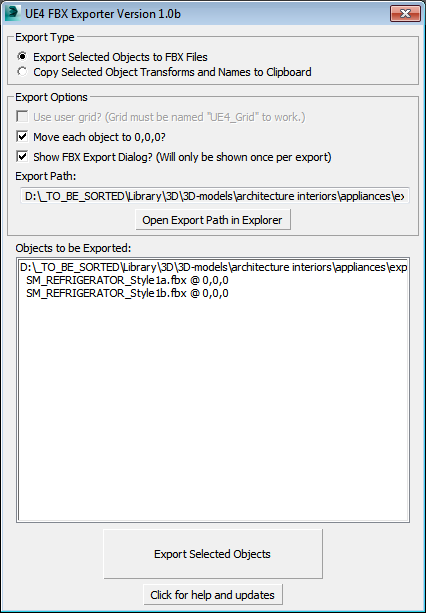
Introducing UE4 FBX Exporter : TS_UE4FBXExporter (sexy name, I know)!
What's it let you do?
- Export each selected mesh to an individual FBX file
- Move each mesh to 0,0,0 for export (Then put it back where it belongs when it's done like my kids NEVER DO!)
- Name Each FBX according to the MAX scene name
- Allows you to use a grid object to set an arbitrary origin (For really big scenes)
- Just make a Grid helper and name it UE4_Grid and the script will detect it
- Copy the location, position and scale or selected objects to the clipboard using Unreal-friendly syntax allowing you to paste thousands of objects objects into your UE4 maps with a couple of clicks!
 barigazy · 2014-08-25