
Tool for creating patterned grids

MCG
Wavy pattern
By Maxim · 2017-08-18
Community reviewsNo reviews yet.
- Version
- 1.1
- Version requirement
- 2016
- Other software required
- 2016 + Ext1/2 + SP3, 2017, 2018
- Date updated
- 2017-08-21
- Legacy votes
- 3
Downloads
- wavypattern_2018.zip — wavypattern_2018.zip228 KB
- wavypattern_2016.zip — wavypattern_2016.zip234 KB
Description
Setup & notes
Original idea - "Procedural Animation - Kam Wong/Dick Thung"
v1.1 added support for 3ds max 2016 and 2017
Fixed incorrect symmetry work for the shape.
Version for 3d max 2016 and 2017 - WavyPattern_2016.zip
Version for 3d max 2018 - WavyPattern_2018.zip
Videos
More by Maxim
View all contributionsPivot to spline selection
Script
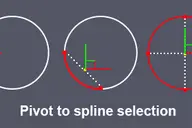
Sets the pivot in the center of the spline selection. Works with vertices, segments and splines.
4 commentsSelection overlapping objects
Script
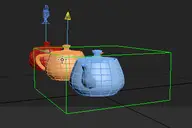
This script gets A List of objects' names under the cursor after which the object can be selected from the list, well used this script to the HotKey
7 commentsRegion between two points
Script
Note: .Drawing Render Region between two points in Viewport. If you press the Ctrl key, So you can move the whole selection in active viewport
1 comment
Comments (12)
Comment policy
thx for the tool... but a little bit of info how to install and where to find it would go a long way.
not for me... but i find it always surprising that people put a lot of effort and time into their scripts and than take not 2 minutes to write a short readme.
i find it surprising that it takes 2 secs..
to type in 'install MCG' into some search engine..
hit enter...but ppl can't spend 2 secs on that but instead spend 5 secs complaining the author hadn't done enough...
opinions are like...
software that comes with proper documentation is more succesfull.
a short text how to install would help a lot of beginners.
as i said im not even needing this info i use max since 4 for DOS.
i am trying to enhance things.. you are just rambling.
and if you take a second to think about your reply you will see the problem with your "logic"... or maybe not.
don't give a toss even if you use whatever since 2 billion
years ago....DOS.....pffft...
max 2017
Would be cool make the same for 2017 :(
have a problem to install
Hi maxis .thanks for make this mcg . when i am trying to install , i cannot because after the install i havenot message successfully and i have failed massage. my 3dsmax version is 2017 .regards
Max2016
I wonder if you can make a version for 3ds max 2016. Thanks
great stuff..!!!
except I'm not sure why you prefer to have the custom Shape as half then mirrored. Most likely, say someone wants to use a custom shape, they would use say a hexagon, or a star...or triangle (note all CLOSED splines)....if you force the user to 'model' an open spline (ie. half shape) then do an internal mirror...I think it's a bit unwieldy...anyway, your MCG, you can do whatever you like !!! I love the patterns tho !!!
The algorithm used here does not allow the use of non-symmetric forms.
I think it's possible to make a non-closed form, I'll try add later.
no what I'm saying is...
allow the user to pick a circle say, or hexagon...ie a CLOSED shape.
At the moment, I think you are expecting the user to model half the shape, then you internally mirror it into a closed shape.
So simply, don't do internal mirroring, just let the user pick a circle, or star or Ngon...and that's it.
This is mcg will working only 3ds max 2018.
couldn't be installed in 3dsmax 2016
get this error "cannot find operator Transform_mesh"