
 By
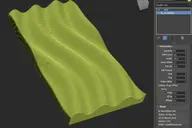
This extremely simple MCG will parse though the quads (or tris) of your geometry. You can parse 1 face/quad at a time or grow from the start.

Another one for you mographers I think...(will work on a closed curve too, ie. text)
Ver 1.01.00: Added Reverse option. Reverse Grow however is not working. I'm trying to fix it.
Ver 1.02.00: Reverse Grow now works properly.

(use this link if Youtube is blocked for some...http://1drv.ms/1f80ct0)
Ver 2.00.00: is an experimental version where you can pick another object (doesn't have to be flat) as an unwrapper/shapeshifter...whatever...experiment at your own peril !!! I'm still 'wrapping' my head around this to see how to take advantage of it....
Ver 2.01.00: also experimental to show cloning on Quad faces

Ver 2.02.00: added OffsetFirstTri flag. You MUST get the latest VuQuadMidpoint/Normal compounds too. Also added alignment.
Ver 2.03.00: added surface Offset, Rot Adjustments...and Clone Step...

Ver 2.05.00: added Emitter Step, fixed Surface Offset bug, all modes now working properly, added WTF settings...yes it's my MCG and that's what I'll call it....also fixed -Z normal bug.

Ver 2.06.00: Added Invert Selection on Emitter and also Invert Clone Step. See illustrations.


Ver 2.07.00: fixed CanGetMeshFromNode bug
Any small donations to vusta@hotmail.com would be greatly appreciated. I intend to then fully donate onto the following:
http://www.worldanimalprotection.org/
https://www.worldwildlife.org/
http://www.savethechildren.org.au/
Thankyou. Meow. Woof. Moooo. Oink. Grrrl.....
Comments (22)
Comment policy
ver 2.07
to fix CanGetMeshFromNode bug
BTW you can use my music if you want it's definitely copyright free https://gumroad.com/l/musix or here https://soundcloud.com/robobear510/tracks
you had me at WTF settings
I think every software should have that setting :)
Like!e
Chúc mừng nhé! Cố gắng phát huy nhé Pro. Bạn có thể nói tiếng việt được k :)
really cool
now work thx__________
screenshot
i don't know
Attachments
let's try the package
try installing this mcg package...
Attachments
don't work for me
Validation failed for C:/Users/admin/Autodesk/3ds Max 2016/Max Creation Graph/Tools/Vu_Parse_Quads.maxtool : Multiple output nodes found
sounds like you have more than one output...
just check on the far right (usually) that there's only 1 'output'
otherwise could you do a screenprint ?
vu_parse_quads
Thanks vusta
The problem has been resolved
Look forward to your updated version
BUG?
Validation failed for C:/Users/Administrator/Autodesk/3ds Max 2016/Max Creation Graph/Tools/Vu_Parse_Quads.maxtool : Error occurred deserializing connection: Index was outside the bounds of the array.
Evaluate compound first...
could you go into your ParseQuads graph and see if you get a red box like this ?
For some reason, I have to open up the compound VuQuadNormal, eval that first, then open the ParseQuads evaluate that then it works...I still don't get why it shouldn't just work as I open up Max each morning...
Aha, think I got it, put this compound (Thanks to Swordslayer who wrote it) into your
C:\Users\xxx\Autodesk\3ds Max 2016\Max Creation Graph\Compounds
then things should fall into place..
(to be safe, might as well put all of Swordslayer's compound in there...in the SayThanksToSwordSlayer file)
Attachments
updeated to ver 2.06.00
added Invert Selection on Emitter and also Invert Clone Step.
Updated to ver 2.05.00
fixing various bugs and added new enhancements
Another bug alert...this time not my fault...
I think there is a bug with the supplied FaceNormal operator.
Basically it is not returning a Normal if the face is pointing directly down, ie. -Z. So you will not see any Clones on the bottom of a box !!! I've logged this with AD, waiting for answer.
bug alert...Surface Offset
I've discovered a bug with the Surface Offset, it looks right with the sphere emitter because the pivot is at the centre, however for a wavy surface...or even a plane it is not working correctly....debugging now...
Good news, fixed it...but will hold off update for a wee little while as I'm updating other bits as well...:)
tribute to HR Giger
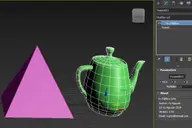
Max2016 + Teapots + Parse Quads + 'Trippy' Settings
Attachments
Some issue with the video:
"This video contains content from [Merlin] PschentMusic, who has blocked it in your country on copyright grounds. "
yeah I knew that...hence contingency plan...
you'll have to find it...
added Experimental version for the tinkerers...
Ver 2.00.00 Experimental
Ver 1.02.00 added with Reverse Grow working properly
Also added video...
Added Reverse option
pls note: Reverse Grow is currently not quite right, I'm doing ny best to fix it.