
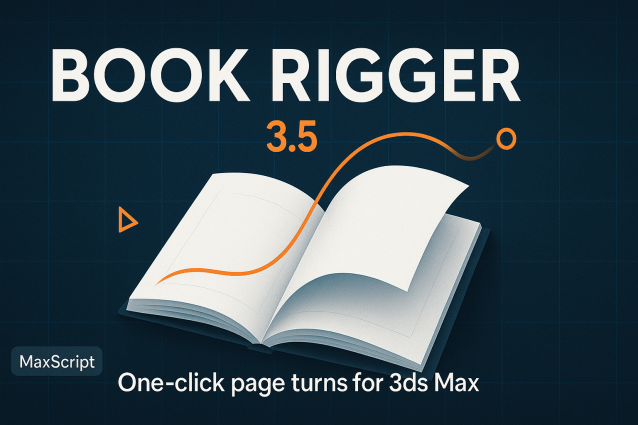
Book Rigger

Tagged with terms:
28
points
Date Updated: 
11/23/2008
Author Name: 
Arda Kutlu
Version: 
2.21


BOOK RIGGER V2.1

It creates pages with 3 bend modifiers, (for turn animation, secondary motion and landing position) and binds them into a controller to easily turn pages.

Features

-Ability to define page count, page length, page width, segments, gap between pages and effect areas-max angles of benders.

-Ability to Randomize secondary motion

-Preview option, before actually binding every page.

-Ability to assign materials and image sequences as single or doublesided materials

-Ability to take apart all or some of the pages and provide them random directions.

Note that in preview option only one frame is keyed, and you control its motion scrubbing timeslider.

I cant be hold responsible for the trouble it may cause, so please use it on blank project, or at least backup your project before use.

Version History:

version 2.21

-Bug Fix regarding to the Torn Apart options. Now it torns apart pages even if the  default in/out tangents are different than linear.

-Ability to turn the following page, before the previous one lands (shuffle) It is added as Shuffle Control to the master controller. It is also animatable. now its very easy to create a book which pages starts to turn slowly and speeds up gradually until it shuffles very fast.

version 2.1

-Added Take Apart Option

------------------------- 

version 2.0

-New UI

-Added Crease center options for Flexibility, Turner and Landing parts. It allows greater control over creases.

-Added Crease Level for  Turner part which allows changing altitude of crease. It also make possible 360 degree turns properly.

-Added Material section. You can assign double or single sided materials. It is also possible to assign an image sequence and Book rigger makes every pages diffuse texture the corresponding frame number of that image sequence.

-------------------------

version 1.0Beta

-First release


Planned future improvements:

-More options to taking apart function. (defining the area -like from the 10th to 25th page- of pages that will be taken apart, defining the time range, Gradually increasing and decreasing the pages that will be taken.

-Book cover with various styles.

Additional Info: 

This is a Macroscript. After you run the script, you can find the
script under customize => customize user interface - category: Tik
Works, and can assign it to a hotkey, menu or quad menu

Version Requirement: 
written with Max 2008
AttachmentSize
Tik_Book_Rigger_v1.0Beta.mcr11.08 KB
Tik_Book_Rigger_v2.0.mcr27.05 KB
Tik_Book_Rigger_v2.1.mcr30.08 KB
Book_Rigger_V2.21.rar6.42 KB

MarTroYx's picture

Well done

Well done Wink

nakolus's picture

What an amazing tool it is

What an amazing tool it is !!!!!!!!!!!!!
Thanks you a lot !!!!

If it can set every pages texture easier I think it will be more wonderful.
(I think it is very difficult to compelete this work)
(Sorry for that impolite asking)

Oh~~how great tool it is. Thanks you

masquerade's picture

Thank you guys. I am glad

Thank you guys. I am glad that you liked it.


nakolus,

it is not impolite to ask anything. It is a nice request. I didnt try anything yet but actually I was planning an option of automatically assigning textures from a given image sequence soon.

cheers 

jfazzi's picture

Wow! I wish I would have

Wow! I wish I would have had that when I animated some books by hand! This is awesome!

Thanks!

fayezgfx's picture

It's Nice script Thanks

It's Nice script Thanks allot

nomdeguerre's picture

Great script Thank You

Great script Thank You

jonnybefree's picture

damn thats nice!! thank you

damn thats nice!!

thank you very much man! exactly what i'am looking for since some time!

de_ar73's picture

thanks !

thanks !

aimerYuer's picture

Thanks very much for this.

Thanks very much for this. Well done!
But i think there is a problome, it does not like a really book because the cover page should be different from the other page. DO you agree?

masquerade's picture

Yes I agree with

Yes I agree with you.

Actually I thought about for a while. At last I decided not to take that into account for now. This script only animates inner pages of a book. Since the cover contains only 2 pages, it can easily hand animated with an additional geometry.

You know there would be too many variables (hard cover, soft cover, different extrusion levels etc.) I tried to keep it as simple as possible.

 Now I am working on a new version. it will be possible to turn the pages 360 degrees with crease compansation, there will be more options to control creases and there will be an option to assign materials and texture maps to each page from a given image sequence.

On the next version I am planning to work on thorning apart pages and maybe do some stuff about cover issue.

Thank you.

aimerYuer's picture

I am expcting for your new

I am expcting for your new version!
And also i have a thought about this, maybe you can add the option of "thickness" , it contants two part: the cover pages and the inner pages,so that we can make much more different books handy.

Would you please tell me the meaning of the word "compansation" since i am not good at English,and i can't get it from a dictionary.

Thanks

masquerade's picture

:) probably I wrote it

:) probably I wrote it wrong. As anyone can imagine, English is not my native language.

I tried to mean by that the relation between crease amount and crease altitude. Right now, if you increase the turner angle up to 360 degree, creases will be on the wrong side. It will stay on top of the page. It makes impossible to correctly turn the page 360 degree. I fixed that adding a new spinner which controls crease level.(angle of the corresponding bend modifiers' gizmo actually)

Probably I again failed to explain that properly. If I can have some free time, in a few days I will complete the material code and finish the new version. If you try it, you can understand better than my lousy explanation attempts.

Thickness options will be nice. I will consider these for the next version. But I have to focus on material and crease stuff for upcoming version. Afterwards I will definitely get into other stuff. Thanks

aimerYuer's picture

Thanks for your explanation,

Thanks for your explanation, i get it.
By the way, i would like to visit your homepage, but the link you gived is failed to visit it.

masquerade's picture

You are welcome. Strange, I

You are welcome.

Strange, I have no problem to accessing the site. its www.ardakutlu.com in case of any typo mistake.

Updated the script by the way.

aimerYuer's picture

Oh,what a pity! I can't

Oh,what a pity! I can't access the site really.
I have download your new version, when i assigned a material, nothing changed, can you show me some pictures to tell me how to use it. And, whether if the image sequence must to be "dig" format? I never heard it before.
Expcting your answer, thanks.

masquerade's picture

aimerYuer, I sent you a PM

aimerYuer, I sent you a PM related to the detailed usage.

aimerYuer's picture

I have done as you said, but

I have done as you said, but it donsen't work still. I send the images here. By the way, my Max version is Max9.0,maybe this is the problome? but everything else is normal.

AttachmentSize
02.jpg73.2 KB
01.jpg61.27 KB
masquerade's picture

while browsing images, you

while browsing images, you must check "Sequence" checkbox. just select the image01.tga and check the sequence checkbox which is visible in the 01.jpg. Max will create automatically an ifl file, and script will use that file to assign seperate images to the pages.

aimerYuer's picture

That's OK now, how careless

That's OK now, how careless I am!
Thanks

D.R.'s picture

I Love this script, when you

I Love this script, when you are working on the new version of the script, and i don't know if it is posible now, but can you make it so that each page has a front and a back for two sided reading. This way if you want to have a blank page on the back of each page or the next page show on the back.

nikiken's picture

thank you, look very tiptop.

thank you, look very tiptop.

masquerade's picture

D,R, it is possible, but it

D,R,

it is possible, but it dramatically decreases the viewport performance.

You can use two sided materials instead. Inside the script you can assign two sided materials and assign sequences to the pages.

Or you can add shell modifier to one page and instance them to the other pages. You may use Modifier Instancer for this particular situation.

ebee's picture

Hello! The Shuffle-parameter

Hello!
The Shuffle-parameter doesn't seem to have any effect.
I'm using 64bit max 2009.

edit: no... it does _something_. The flipping speed seems to change somehow... but should I be able to achieve something like this with it? (click here)
Now whatever values I use in shuffle, I can't get more than one page up at a time.

masquerade's picture

Yes. Shuffle option does the

Yes. Shuffle option does the exact thing in your image. You see, normally each page starts its animation after the previos one landed. Shuffle option defines overlapping value of each page. If you increase that value (You have to make an page turn animation before) you will notice that space between pages decrease. (making the animation shorter.) 

By the way, I read your message one more time, and realized that you didnt do that image of yours using shuflle option. In that case, I can say that you have to set your page keys first, then try to increase shuffle value.

I know it doesnt work very practical right now. I am working on it.

ebee's picture

Thank you for your fast

Thank you for your fast reply!
Yes I got it working now with a shuffle-value of 200.

masquerade's picture

you are welcome. Honestly, I

you are welcome. Honestly, I couldn figure out myself why it isnt working without setting keyframes... And probably I should find a better control mechanism for that.

niedziak's picture

Will it work with 3DS MAX

Will it work with 3DS MAX 2009 x64? I tried to run it on this version, but program didn't reacted to it.

Comment viewing options

Select your preferred way to display the comments and click "Save settings" to activate your changes.